
How to Sell Printables Online in 2026: The Complete Guide
6 months ago · 14 min read

Printables are one of the most accessible, low-risk digital products you can sell online. You create them once, upload them, and sell them an unlimited number of times with zero inventory, zero shipping, and near-zero overhead. Whether it's planners, wall art, checklists, budget trackers, or educational worksheets, people are buying printables every single day.
And the best part? You don't need to be a professional designer. Tools like Canva have made it possible for anyone with a laptop and some taste to create printables that look polished and sell well. The barrier to entry is as low as it gets, which is exactly why this is one of the best starting points if you're new to selling digital products.
What Are Printables (And Why Do They Sell So Well)?
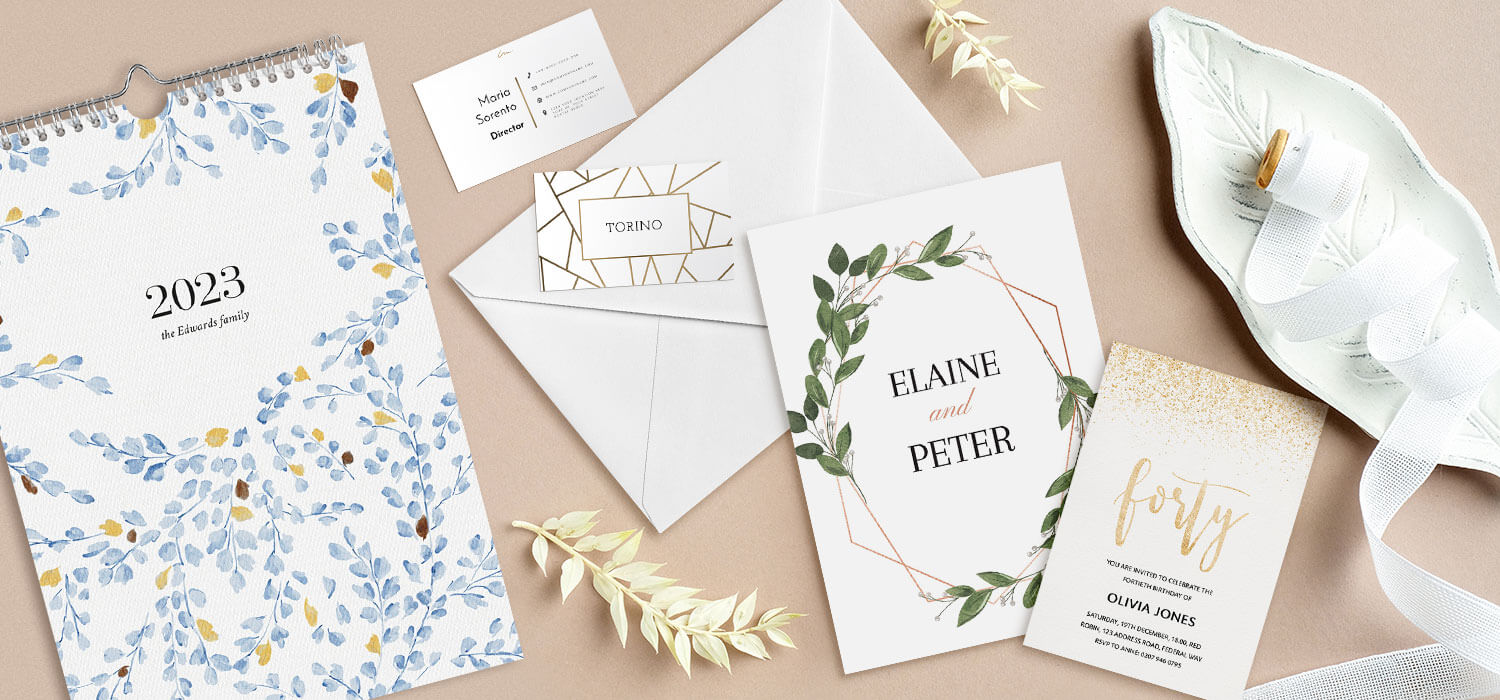
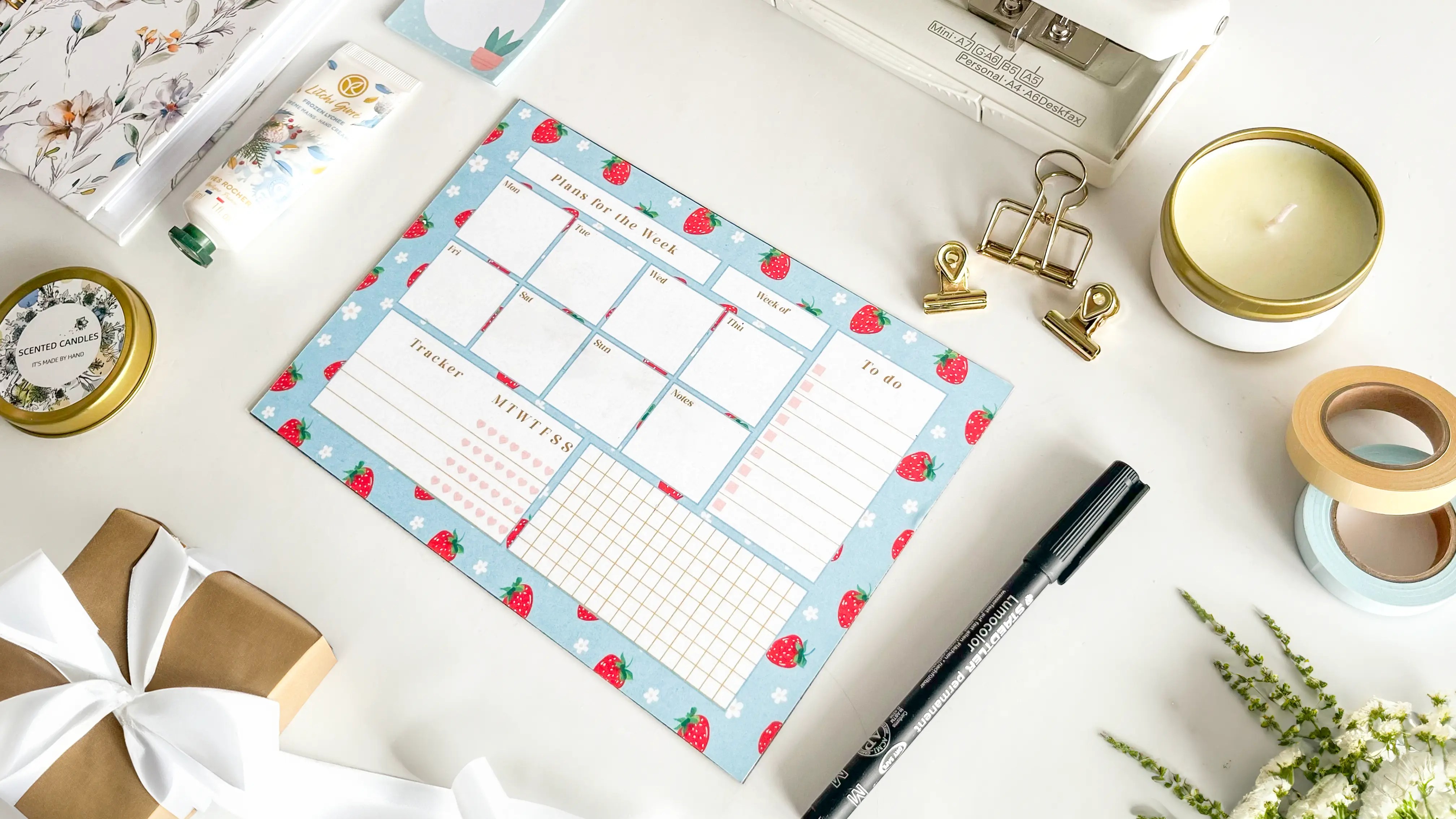
Printables are digital files, usually PDFs, that customers download and print at home. They range from purely functional (budget spreadsheets, meal planners, habit trackers) to purely decorative (wall art, quote prints, nursery decor). Some of the most popular categories include:
- Planners and organizers: daily, weekly, monthly, academic year, fitness, meal prep
- Wall art and home decor: minimalist prints, quote art, botanical illustrations, nursery art
- Educational worksheets: homeschool resources, kindergarten activities, math drills, reading logs
- Business templates: invoice templates, social media planners, meeting agendas
- Event printables: wedding invitations, birthday banners, baby shower games, party decor
- Stickers and labels: planner stickers, pantry labels, address labels, gift tags
The reason printables sell so well comes down to three things. First, they solve immediate problems. Someone needs a budget tracker or a wedding seating chart and they need it now. Second, they're cheap to buy, which makes them impulse purchases. And third, the customer gets instant gratification. They buy, download, and print within minutes.
How Much Can You Actually Make Selling Printables?
Let's be real about the numbers. Printables aren't going to make you a millionaire overnight. But they can absolutely generate a solid side income, and for some creators, a full-time living. The typical price range for printables is $2 to $15, with bundles going up to $30 or more.
Here's what realistic income looks like at different stages:
- Beginner (1-3 months): $50 to $300/month with 10-20 listings and minimal traffic
- Intermediate (3-12 months): $500 to $2,000/month with 50+ listings and some SEO traction
- Established (1-2 years): $2,000 to $10,000/month with a strong catalog, email list, and repeat customers
- Top sellers: $10,000+/month, often with multiple shops, bundles, and their own website
The key insight here is that printables are a volume game. Each individual product might only bring in a few dollars per sale, but when you have 100+ products listed and optimized, those small sales add up fast. The creators who do well aren't the ones with one viral product. They're the ones who consistently ship new designs and build out their catalog over time.
Step 1: Pick Your Niche (And Validate It Before You Design Anything)
This is where most people get it backwards. They open Canva, make something they think looks cool, list it, and wonder why nobody buys it. The smarter approach is to start with demand. What are people already searching for and buying?
Here's how to validate a printable niche before you invest any time designing:
- Search marketplace platforms: type your idea into the search bar and look at the autocomplete suggestions. These are real searches people are making right now. Look at top results and check their sales numbers.
- Check competition levels: some competition is good (it means there's demand), but if the first page is all shops with 50,000+ sales, you'll struggle to rank as a newcomer.
- Look at reviews: read customer reviews on competing products. What do people love? What do they complain about? These complaints are your opportunities.
- Use Pinterest: search for your printable idea on Pinterest. If there are lots of pins with high engagement, that's a strong demand signal.
- Google Trends: check if your niche is trending up, stable, or declining. Seasonal niches like back-to-school planners are fine, but you need to time your launches.
Some of the most consistently profitable printable niches in 2026 include wedding planning printables, homeschool worksheets, budget and finance trackers, small business templates, and minimalist wall art. But don't just chase what's popular. Pick something where your taste and knowledge give you an edge.

Step 2: Create Your Printables (Tools, Tips, and Design Principles)
You don't need Adobe Illustrator or a design degree. The vast majority of successful printable sellers use Canva, and for good reason. It's intuitive, it has thousands of templates, and the free plan is more than enough to get started.
Here are the main tools printable creators use:
- Canva (Free/Pro): the go-to for most creators. Drag-and-drop interface, massive template library, easy PDF export. Canva Pro adds premium elements and brand kit features.
- Adobe Illustrator: the professional standard. Steeper learning curve but more control over complex designs.
- Affinity Designer: one-time purchase alternative to Illustrator. Great value without a subscription.
- Google Slides / PowerPoint: surprisingly effective for simple printables like planners and worksheets.
- Procreate (iPad): excellent for hand-drawn illustrations, watercolor-style art, and custom lettering.
Regardless of which tool you use, here are design principles that separate printables that sell from ones that don't:
- Clean, uncluttered layouts: whitespace is your friend. Cramming too much onto one page makes printables look cheap.
- Consistent color palette: stick to 3-4 colors max. Use a tool like Coolors.co to generate palettes.
- Readable fonts: no more than 2-3 fonts per design. One for headings, one for body text, maybe one accent font.
- Print-friendly design: avoid full-page dark backgrounds (wastes ink). Include crop marks if needed.
- Standard sizes: US Letter (8.5 x 11) and A4 are the most common. Offering both doubles your international appeal.
Step 3: Set Up Your File Formats Correctly
This detail separates amateur sellers from professional ones. Your file delivery matters. Here's what customers expect:
- PDF format: the standard for printables. Export as high-quality PDF (300 DPI minimum). In Canva, select PDF Print when exporting.
- Include both US Letter AND A4 sizes: international customers will thank you, and it's easy to resize in Canva.
- Flatten your PDFs: provide both an editable and a flattened version if your printable has editable fields.
- Name your files clearly: "Weekly-Meal-Planner-US-Letter.pdf" not "design_final_v3.pdf"
- Bundle into a ZIP file: if including multiple sizes or formats, zip them together for cleaner delivery.
Step 4: Choose Where to Sell Your Printables
This is one of the most important decisions you'll make. Each platform has different strengths, fee structures, and audiences. Here's an honest comparison:
| Platform | Transaction Fees | Monthly Cost | Built-in Traffic | Best For |
|---|---|---|---|---|
| Storelib (Free) | 6% + $0.25 | Free | You drive traffic | Getting started with the lowest barrier to entry |
| Storelib (Growth) | 3% + $0.25 | $29/mo | You drive traffic | Scaling creators who want lower fees and pro features |
| Storelib (Pro) | 1.5% + $0.25 | $99/mo | You drive traffic | Serious sellers who want the lowest fees possible |
| Gumroad | 10% | Free | Minimal | Simple one-off sales |
| Shopify | 2.9% + 30¢ | $39/month | No | Large stores with high volume |
| Payhip | 5% (free plan) | Free | Minimal |
Our recommendation? Start with Storelib if you want to build a real brand. You can start completely free and upgrade as you grow. You get a professional storefront, and you're not competing with a million other sellers on the same marketplace page. As your revenue grows, you can move to the Growth or Professional plan to unlock lower transaction fees and premium features.
That said, there's nothing wrong with listing on multiple platforms simultaneously. Many successful printable sellers use a dual strategy: a marketplace for discovery and organic traffic, plus their own Storelib store for higher-margin direct sales and building an email list.
Step 5: Price Your Printables for Maximum Revenue
Pricing printables is more of an art than a science, but here are some guidelines that work:
- Single printables: $2 to $7 depending on complexity and niche. A simple quote print might be $3, while a detailed budget tracker could be $7.
- Small bundles (3-5 items): $8 to $15. Bundle related printables together for a perceived value boost.
- Large bundles (10+ items): $15 to $35. These are your anchor products that drive the most revenue per transaction.
- Mega bundles / yearly sets: $25 to $50+. A full year of monthly planners, for example.
A pricing strategy that works incredibly well: price individual printables at $5 each, then offer a bundle of 10 for $19. The bundle feels like a steal (50%+ savings), so most customers upgrade, and you make nearly 4x more per transaction.
Don't be afraid to experiment with pricing. Raise your prices and see what happens. Most printable sellers price too low because they feel guilty charging for something that's "just a PDF." But customers aren't paying for the PDF. They're paying for your design skills, your taste, and the time you saved them.
Step 6: Create Listings That Actually Convert
Your printable could be beautiful, but if your listing doesn't sell it, nobody will ever see the actual product. Here's what separates listings that convert from ones that get scrolled past:
- Mockup images are non-negotiable: don't just show the flat PDF. Show it in context. Printed and framed on a wall, on a desk with a cup of coffee, in a binder.
- Show every page: if your printable has multiple pages, show all of them. Customers want to know exactly what they're getting.
- Lifestyle context: show how the printable fits into someone's life. A meal planner on a kitchen counter, wall art in a living room.
- Clear, benefit-driven titles: "Weekly Meal Planner with Grocery List, Minimalist Design, Instant Download" beats "Meal Planner PDF" every time.
- Detailed descriptions: include what's in the file, page count, sizes included, how to print, and software needed.
Step 7: Drive Traffic to Your Printables Store
If you're selling on your own store (which we recommend), you need a traffic strategy. The good news is that printables lend themselves incredibly well to visual platforms. Here's what works in 2026:
Pinterest (the #1 traffic source for printable sellers): this isn't optional. Pinterest is basically a visual search engine, and printables are inherently visual. Create pins showing your products, link them to your store, and let Pinterest's algorithm work for you. A pin you create today can drive sales months or even years from now.
Here's a simple Pinterest strategy that works:
- Create 3-5 different pin designs for each product
- Use keyword-rich descriptions. Think about what someone would search to find your printable
- Pin consistently, around 5-15 pins per day using a scheduler like Tailwind
- Join group boards in your niche for extra reach
- Create idea pins showing your printables in use. These get massive engagement
Instagram and TikTok: short-form video content showing your design process, your workspace, or "pack an order with me" style content performs well. Screen recordings of you designing in Canva, sped up with music, get thousands of views. You don't even need to show your face.
SEO and blogging: write blog posts related to your printable niche. If you sell budget printables, write about personal finance tips. If you sell homeschool worksheets, write about homeschool curriculum ideas. Link to your products naturally within the content. Long-term strategy, incredibly powerful.
Step 8: Scale Your Printables Business
Once you've validated your niche and have some sales coming in, here's how to scale:
- Build an email list from day one. Offer a free printable as a lead magnet. Email subscribers convert at 5-10x the rate of social media followers.
- Create product bundles. Take your best sellers and bundle them together at a discount. Increases average order value significantly.
- Launch seasonal products. Back to school, New Year's resolutions, wedding season, holiday decor. Plan launches 4-6 weeks ahead.
- Expand into adjacent niches. If budget trackers sell well, add debt payoff trackers, savings challenges, and financial goal worksheets.
- Offer editable versions. Charge a premium for printables customers can customize in Canva or PowerPoint. These sell for 2-3x the price of static PDFs.
- Automate everything. Use Storelib's built-in automation for delivery, follow-up emails, and abandoned cart recovery.
Common Mistakes to Avoid
After seeing hundreds of printable businesses succeed and fail, here are the patterns that separate the two:
- Designing before researching. Always validate demand first. Making something pretty that nobody wants is the fastest way to burn out.
- Pricing too low. A $1 printable tells customers it's not worth much. Price based on value, not on what feels comfortable.
- Ignoring Pinterest. If you sell printables and you're not on Pinterest, you're leaving money on the table. Period.
- Only listing on one platform. Diversify. Your own store plus a marketplace gives you the best of both worlds.
- Giving up after 10 listings. The sellers who make real money have 50, 100, 200+ listings. It's a catalog business. Keep shipping.
- Not building an email list. Social media algorithms change. Your email list is the only audience you truly own.
- Inconsistent branding. Your store should look cohesive. Matching colors, consistent fonts, professional mockups. Builds trust and repeat purchases.
The Bottom Line
Selling printables online is one of the best ways to start a digital product business in 2026. The startup costs are essentially zero, the tools are accessible to everyone, and the demand is proven across dozens of niches. You don't need to be a professional designer. You don't need a massive following. You don't need anyone's permission.
What you do need is the willingness to research what people actually want, the consistency to keep creating and listing new products, and a platform that grows with you. That's exactly why we built Storelib. Start free with no monthly costs, and as your business scales, upgrade to lower transaction fees and more powerful features.
Start with one printable. Make it good. List it. Then make another one. The creators who win at this aren't the ones who had the best first design. They're the ones who kept going.

More in Strategy
Start your online business!
Turn your digital creations into income. Launch your store in minutes, no credit card required.