
How to Sell Notion Templates Online: The Complete Guide for 2026
6 months ago · 18 min read

Notion has quietly become one of the most powerful productivity tools on the planet, and the template economy around it is booming. Thousands of creators are building Notion templates and selling them to students, freelancers, entrepreneurs, and teams who want ready made systems without spending hours building from scratch. If you have ever built a Notion setup that someone else complimented or asked to copy, you are sitting on a potential income stream.
The Notion template market has exploded over the past two years. Creators are earning anywhere from a few hundred dollars a month to well over $10,000 monthly from selling templates alone. Some standout creators have crossed $500,000 in lifetime revenue from a single well built template. The barrier to entry is low, the margins are essentially 100%, and the demand keeps growing as more people and businesses adopt Notion as their daily operating system.
In this guide, we will walk through everything you need to know to create, price, market, and sell Notion templates online. Whether you are building your first template or looking to turn this into a real business, this is the playbook that covers it all.
Why Notion Templates Are One of the Best Digital Products to Sell
Notion templates check every box that makes a digital product worth selling. They cost nothing to produce beyond your time. There is no inventory, no shipping, no manufacturing. Once you build a template, you can sell it an unlimited number of times with zero additional cost per sale. That means every sale after your first is almost pure profit.
The audience for Notion templates is massive and still growing. Notion has over 100 million users worldwide, and many of those users are actively looking for templates to help them organize their lives, manage projects, track habits, run businesses, and plan content. These are not casual browsers. They are people with a specific need, and they are willing to pay for a polished solution that saves them time.

Another reason Notion templates sell so well is that they solve real, tangible problems. A student who needs a study planner, a freelancer who needs a client tracker, a startup founder who needs a project management dashboard. These are people who know exactly what they need and will pay $10, $20, or even $50 for a template that delivers it in a clean, professional package.
The Notion community is also incredibly engaged. There are active subreddits, Facebook groups, Twitter communities, and YouTube channels dedicated entirely to Notion productivity. This means your marketing channels are built in. You do not have to convince people that Notion is worth using. You just have to show them that your template solves their specific problem better than the alternatives.
What Kinds of Notion Templates Sell Best
Not all Notion templates are created equal when it comes to sales potential. The templates that consistently perform well fall into a few key categories, and understanding these will help you focus your efforts on products that people actually want to buy.
Here are the top selling Notion template categories right now:
• Productivity Systems — Task managers, habit trackers, goal planners
• Student Templates — Study planners, assignment trackers, GPA calculators
• Business Dashboards — CRM systems, project trackers, meeting notes
• Finance Trackers — Budget planners, expense logs, investment trackers
• Content Calendars — Social media planners, editorial calendars, posting schedules
• Personal Journals — Gratitude journals, mood trackers, daily reflections
All in One Life Planners and Dashboards
These are the heavy hitters. All in one life planners combine task management, goal setting, habit tracking, journaling, and sometimes even financial planning into a single Notion workspace. They appeal to a broad audience including students, professionals, and personal development enthusiasts. The best ones include weekly and monthly dashboards, customizable sections, and a clean aesthetic that makes people want to use them every day. These templates typically sell in the $15 to $35 range, and the really comprehensive ones can command $49 or more.
Business and Freelancer Templates
Project trackers, client CRMs, invoicing systems, meeting notes databases, and business dashboards are among the highest selling template categories. Freelancers, small business owners, and startup teams are the core buyers. They need systems to manage their operations but cannot justify the cost of enterprise software. A well designed Notion CRM or project tracker that costs $25 is an incredibly easy sell to someone who would otherwise be paying $30 to $100 per month for a dedicated tool.
Student and Academic Templates
Study planners, assignment trackers, course organizers, GPA calculators, and research databases are extremely popular with college and university students. This market is price sensitive, so templates in this category typically sell for $5 to $15. But the volume potential is enormous because there are millions of students worldwide who use Notion, and they tend to share recommendations with their classmates.
Content Creator and Social Media Templates
Content calendars, social media planners, YouTube video trackers, podcast production workflows, and brand kit organizers serve the growing creator economy. These templates appeal to influencers, YouTubers, bloggers, and social media managers who need to plan and track their content across multiple platforms. Pricing typically ranges from $10 to $30, and the repeat purchase potential is strong as creators upgrade their systems over time.
Finance and Budget Templates
Budget trackers, expense logs, subscription managers, savings goal planners, and investment trackers are consistently in demand. Everyone needs to manage their money, and Notion provides a flexible way to do it without relying on rigid budgeting apps. These templates usually sell for $8 to $20 and appeal to a very broad audience.
Health and Fitness Templates
Workout planners, meal prep organizers, habit trackers, mental health journals, and wellness dashboards tap into the massive health and wellness market. People who are serious about their fitness routines or personal wellness often want a central hub to track everything, and Notion templates provide exactly that. Pricing for these tends to fall in the $8 to $25 range.
How to Create a Notion Template That People Will Pay For
Creating a Notion template that sells is not just about knowing how to use Notion. It is about understanding your audience, solving a real problem, and delivering an experience that feels polished and professional. Here is how to approach the creation process from start to finish.
Step 1: Pick a Specific Problem to Solve
The biggest mistake new template creators make is trying to build something for everyone. A generic "productivity template" will not stand out in a market full of similar offerings. Instead, get specific. Instead of a general planner, build a "quarterly goal planner for freelance designers" or a "content calendar for TikTok creators." The more specific your template is, the easier it is to market because you can speak directly to the person who needs it.
Start by thinking about your own experience. What Notion setups have you built for yourself? What problems did they solve? If you are a freelancer, you probably have a client management system. If you are a student, you might have a study planner that got you through exams. These personal use cases are gold because you already understand the problem deeply.
Step 2: Research What Is Already Selling
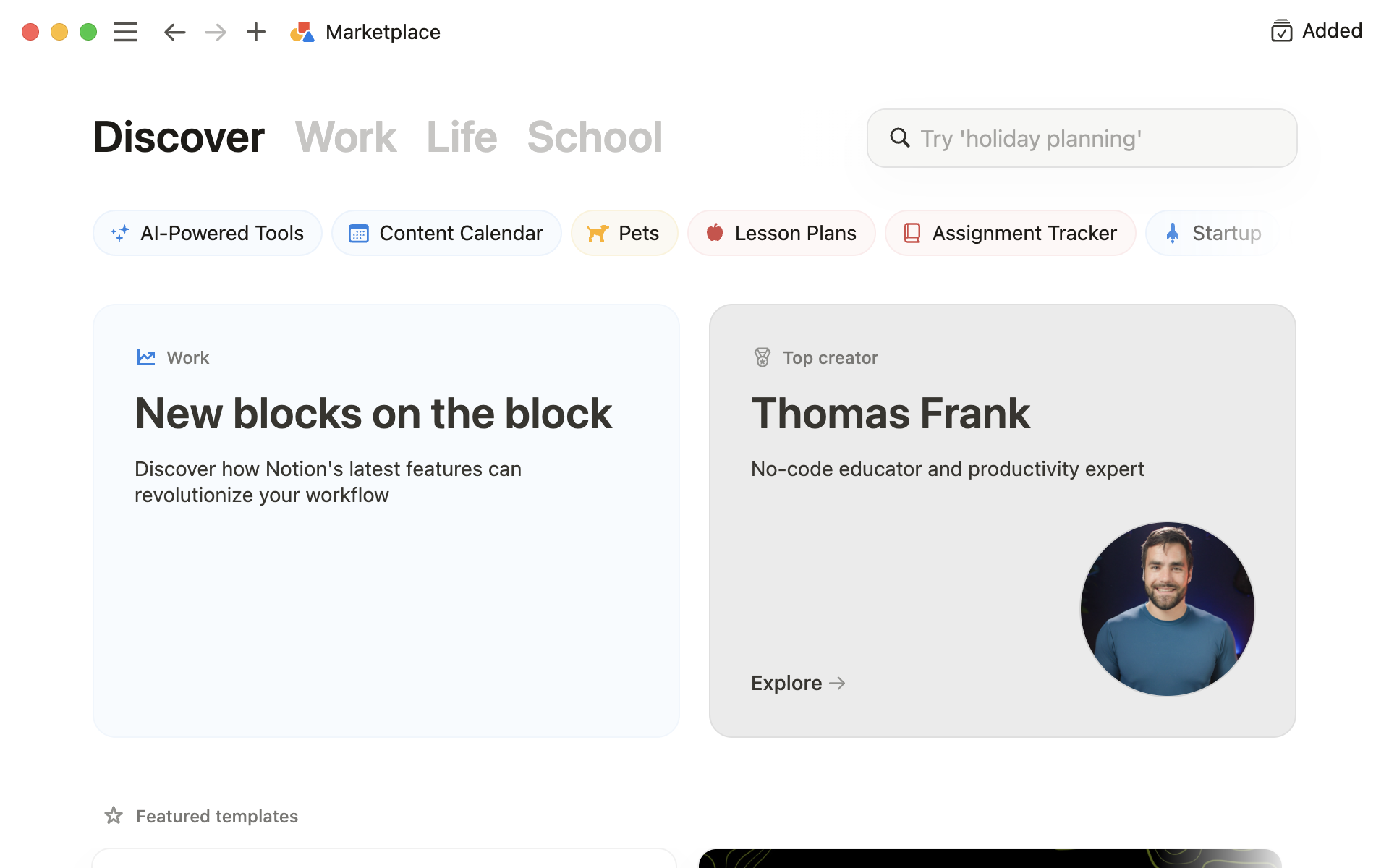
Before you start building, spend time looking at what is already on the market. Browse the Notion template marketplace, check Gumroad and Etsy for Notion templates, and look at what top creators are selling on their own websites. Pay attention to pricing, reviews, and the features that buyers mention. This research will help you identify gaps in the market and understand what people are willing to pay for.
Read the negative reviews on competitor templates. These are incredibly valuable because they tell you exactly what people wish was different. If multiple people complain that a popular planner template is too complicated, you know there is an opportunity to create a simpler, more intuitive version. If people say a CRM template is missing a specific feature, you can build that feature into yours.
Step 3: Build With the End User in Mind
When you sit down to build your template, think about the person who is going to use it. They might not be a Notion power user. They might be opening your template for the first time and feeling overwhelmed. Your job is to make the experience as smooth as possible.
Include clear instructions within the template itself. Use toggle blocks to hide setup guides that users can reference when they first open the template. Pre fill databases with example entries so people can see how the template is meant to be used. Use consistent formatting, clean typography, and a cohesive color scheme. The visual presentation matters more than you might think. People judge the quality of a template within the first few seconds of opening it.
Step 4: Test With Real People
Before you launch, get your template in front of real users. Share it with friends, post it in Notion communities asking for feedback, or offer a few free copies in exchange for honest reviews. Real user feedback will reveal usability issues you never noticed, confusing layouts you thought were intuitive, and missing features you did not think of. This testing phase can be the difference between a template that gets refund requests and one that gets five star reviews.
How to Price Your Notion Templates
Pricing is one of the most debated topics among Notion template creators, and getting it right can significantly impact your revenue. The good news is that there are proven pricing strategies that work well for digital products like templates.
Here is a quick breakdown of what different Notion template types sell for:
• Simple Tracker (habit, expense, reading log) — $5 to $12 per sale, high competition, volume play
• Productivity System (all in one planner, dashboard) — $15 to $29 per sale, medium competition, solid margins
• Business Dashboard (CRM, project tracker, invoicing) — $25 to $49 per sale, low competition, premium positioning
• All in One Workspace (life OS, second brain) — $39 to $79 per sale, low competition, highest revenue per customer
For simple, single purpose templates like a habit tracker or a basic budget planner, pricing between $5 and $12 is standard. These are impulse purchases for most buyers. They see the template, recognize the value, and buy without overthinking it.
For more comprehensive templates like business dashboards, all in one planners, or CRM systems, pricing between $15 and $49 is common and well accepted by buyers. The key is that the template needs to deliver enough value to justify the price. If your CRM template saves a freelancer five hours of setup time, charging $29 for it is a no brainer for the buyer.
For premium, highly specialized templates that target businesses or professionals, you can charge $49 to $99 or more. These are templates that replace paid software or provide significant operational value. A comprehensive agency management system or a product launch tracker with automated workflows can absolutely command premium pricing.
One strategy that works well is offering a template bundle. Instead of selling individual templates for $12 each, bundle five related templates together for $39. This increases your average order value while giving the customer a sense of getting a deal. Bundles are especially effective when the templates complement each other, like a "Complete Freelancer Toolkit" that includes a CRM, project tracker, invoice template, and client onboarding checklist.
Where to Sell Your Notion Templates
You have several options when it comes to choosing a platform to sell your Notion templates, and each one has trade offs in terms of fees, audience, and control.
Notion Marketplace
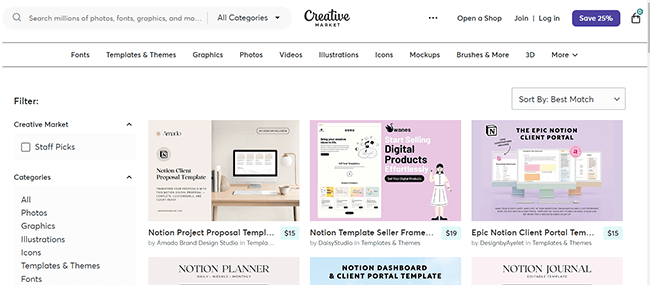
The official Notion marketplace gives you access to Notion's built in audience. To sell there, you need to apply, get approved, and set up payments through Stripe. The advantage is that buyers are already browsing for templates, so the traffic is built in. The downside is that you are competing with thousands of other creators, and Notion takes a commission on every sale.
Gumroad
Gumroad is one of the most popular platforms for selling Notion templates. It is easy to set up and has a large community of digital product buyers. However, Gumroad takes 10% of every sale plus payment processing fees. On a $20 template, that means you are giving up over $2 per sale. If you sell $10,000 worth of templates in a year, Gumroad keeps $1,000 or more. Those fees add up quickly as your business grows.
Etsy
Etsy has become a surprisingly popular place to sell Notion templates. The platform has a massive built in audience of buyers looking for digital products. But the fees are steep. Between listing fees, transaction fees, and payment processing, you are looking at 12% to 15% of every sale going to Etsy. And if you exceed $10,000 in trailing 12 month sales, Etsy automatically enrolls you in their Offsite Ads program which takes an additional 12% to 15% on sales from those ads. You cannot opt out.
Your Own Store With Storelib
If you want to keep more of your revenue and own the entire customer experience, setting up your own digital product store is the way to go. Storelib is built specifically for creators selling digital products like Notion templates. You get a professional storefront, instant digital delivery, payment processing through Stripe, and access to Storelib's marketplace where other buyers can discover your products organically.
What makes Storelib particularly appealing for Notion template sellers is the pricing. The free plan lets you start selling immediately with a 6% plus $0.25 transaction fee. The Growth plan at $29 per month drops that to 3% plus $0.25 and adds custom domains, a verified seller badge, and email marketing tools. Compare that to Gumroad's flat 10% or Etsy's compounding fees, and the savings become significant as your sales grow.
Storelib also includes OnePage, a built in link in bio feature that works like Linktree but with actual selling power. You can showcase your Notion templates, link to your social profiles, and collect payments all from a single page. It replaces what would otherwise be a separate $15 per month tool. For Notion template creators who sell primarily through social media, this is a huge advantage because your link in bio becomes your storefront.
How to Market Your Notion Templates
Building a great template is only half the battle. If nobody knows about it, it will not sell. Here are the most effective marketing strategies for Notion template creators in 2026.
Twitter and X
The Notion community on Twitter is incredibly active. Creators regularly share screenshots of their templates, Notion tips, and productivity workflows. Start by sharing genuinely useful Notion tips and tricks. Build an audience of people who are interested in productivity and organization. When you have a template to sell, your audience already trusts your expertise. Some of the most successful Notion template creators built their entire business through Twitter by consistently sharing valuable content.
TikTok and Instagram Reels
Short form video is incredibly effective for selling Notion templates. People love watching satisfying Notion setup videos, template walkthroughs, and "day in my life" style content that shows a template in action. A 30 second video showing your template's features can generate thousands of views and drive significant traffic to your store. The key is to make the template look visually appealing and show the transformation from an empty workspace to a fully organized system.
YouTube
YouTube is a long term play but an incredibly powerful one. Create tutorial videos showing how to use Notion effectively, and naturally showcase your templates within the content. A video titled "How I Organize My Entire Business in Notion" that features your templates can generate sales for years. YouTube videos have a much longer shelf life than social media posts, making them one of the best investments of your time.
Reddit and Online Communities
The r/Notion subreddit has hundreds of thousands of members actively discussing Notion workflows and looking for template recommendations. But do not spam your product links. Instead, become a genuine contributor. Answer questions, help people with their Notion setups, and share useful tips. When someone asks for a template recommendation that matches what you sell, that is your moment to share your product naturally. This approach takes patience but builds lasting credibility and consistent sales.
Email Marketing
Building an email list should be a priority from day one. Offer a free template as a lead magnet to capture email addresses, then nurture those subscribers with Notion tips, template previews, and exclusive discounts. Your email list becomes your most valuable marketing asset over time because you own it completely. No algorithm changes can take it away from you. With Storelib's Growth plan, you get built in email marketing tools that let you send up to 2,000 emails per month, so you do not need a separate email service.
Pinterest is often overlooked but is surprisingly effective for selling digital products. Create visually appealing pins that showcase your template designs and link them directly to your product pages. Pinterest functions as a visual search engine, so pins can continue driving traffic months or even years after you post them. It is especially effective for aesthetic templates like planners, journals, and lifestyle dashboards.
Packaging and Delivering Your Notion Templates
How you package and deliver your template matters almost as much as the template itself. A professional delivery experience builds trust and reduces support requests.
The standard way to share a Notion template is through a Notion share link. You create the template, click Share in the top right corner, enable Share to Web, and then provide that link to buyers. When they click it, they can duplicate the template into their own Notion workspace with one click.

However, you should also include a PDF or video guide that walks buyers through how to set up and customize the template. Not everyone is a Notion expert, and a clear onboarding guide dramatically reduces confusion and refund requests. Include screenshots showing each section of the template, explain what each database does, and provide tips for customization.
If you are selling through Storelib, the platform handles delivery automatically. As soon as a customer completes their purchase, they get instant access to download the template link and any accompanying files. You do not need to manually send anything. This is a huge time saver, especially as your sales volume grows.
Common Mistakes to Avoid
After studying hundreds of Notion template businesses, there are a few mistakes that consistently hold creators back. Avoiding these will put you ahead of most of your competition.
The first mistake is underpricing your work. Many creators set their prices too low because they feel uncomfortable charging for something that "only took a few hours to build." But your buyers are not paying for your build time. They are paying for the result: a polished, functional system that saves them hours of work. If your template saves someone five hours of setup time, charging $20 for it is giving them an incredible deal.
The second mistake is not building an audience before launching. If you build a template and list it on a marketplace without any marketing, you are relying entirely on the platform's algorithm to bring you customers. That can work eventually, but it is slow and unreliable. Start building your social media presence and email list before you even finish your first template, so you have an audience ready to buy when you launch.
The third mistake is creating too many templates too fast. It is tempting to try to build a massive catalog quickly, but quality always beats quantity. One exceptional template that gets rave reviews and word of mouth referrals will outperform ten mediocre templates that nobody talks about. Focus on making each template the best it can possibly be before moving on to the next one.
The fourth mistake is ignoring customer feedback. Your customers will tell you exactly what they want if you listen. Pay attention to reviews, support messages, and questions. Use that feedback to improve your existing templates and inform your next product. The creators who build the most successful template businesses are the ones who treat every piece of customer feedback as a gift.
Scaling Your Notion Template Business
Once you have a few successful templates and a growing audience, it is time to think about scaling. Here are the strategies that successful Notion template creators use to grow their revenue over time.
Create template bundles. Take your individual templates and package them into themed bundles at a discount. A "Complete Business Suite" that includes your CRM, project tracker, and meeting notes templates can sell for $59 to $99, significantly increasing your average order value.
Offer premium and enterprise versions. Take your most popular template and create an upgraded version with advanced features, more customization options, and priority support. This lets you capture both the budget conscious buyer and the buyer who wants the best possible solution.
Build a subscription or membership. Some creators offer a monthly subscription that gives members access to all current and future templates. This creates predictable recurring revenue and gives you a stable income base to build on. Pricing typically ranges from $9 to $29 per month.
Create complementary content. Pair your templates with video tutorials, courses, or ebooks that teach people how to use Notion effectively. A $49 course on "Building Your Freelance Business in Notion" that includes all your freelancer templates as bonuses is a much higher value offering than selling the templates individually.
Expand to other platforms. If you have built a successful Notion template business, consider creating similar templates for other tools like Airtable, Google Sheets, or ClickUp. You already understand the market and your audience. Expanding your product line to adjacent tools can open up entirely new revenue streams.
Setting Up Your Store to Sell Notion Templates on Storelib
If you are ready to start selling, here is how to get set up on Storelib in under ten minutes.
First, create your free account. No credit card is required. Once you are in, you will see your dashboard where you can set up your store name, upload a logo, and choose your store URL. Storelib gives you a clean, professional storefront out of the box.
Next, add your first product. Click "Add Product" and fill in the details: your template name, a compelling description, pricing, and the delivery file or Notion share link. You can add product images showing screenshots of your template in action. Storelib supports multiple file types, so you can include your Notion link, a PDF setup guide, and any bonus files in a single product listing.
Set up your payment processing through Stripe. Storelib walks you through this step by step, and it takes about five minutes. Once connected, payments go directly to your Stripe account. No waiting for payouts from a third party platform.
Finally, set up your OnePage. This is your link in bio page that you will share on social media. Add your template products, your social links, and any other content you want to showcase. When someone clicks your link in bio on TikTok, Instagram, or Twitter, they land on your OnePage where they can browse and buy your templates immediately. It is the fastest path from social media follower to paying customer.
Your products also automatically appear on Storelib's marketplace, which means buyers browsing the platform can discover your templates organically. This is free exposure that you do not get with standalone store builders like Shopify or Squarespace. It is like having your own store and being listed in a mall at the same time.
Final Thoughts
Selling Notion templates is one of the most accessible and profitable ways to start a digital product business in 2026. The tools are free, the market is growing, and the demand for high quality templates shows no signs of slowing down. You do not need a massive following, a technical background, or a big budget to get started. You need a useful template, a solid marketing strategy, and a platform that lets you sell without eating into your profits.
The creators who succeed in this space are the ones who focus on quality over quantity, listen to their customers, and show up consistently. Start with one great template. Get it in front of real people. Collect feedback, iterate, and grow from there. The compounding effect of building a template business is real. Each new template, each new customer, and each new piece of content builds on everything that came before it.
If you are ready to turn your Notion skills into income, sign up for Storelib for free and start building your store today. Your first sale could be closer than you think.

More in Getting Started
Start your online business!
Turn your digital creations into income. Launch your store in minutes, no credit card required.