
How to Create and Sell Notion Templates in 2026: The Complete Guide
6 months ago · 18 min read
Notion templates are quietly one of the most profitable digital products you can sell right now. Not because they are trendy. Not because some guru told you to sell them. But because the economics are genuinely absurd. Zero production cost, instant delivery, infinite scalability, and a massive audience that already uses the platform every single day.
Some creators are pulling in $5,000 to $20,000 a month selling Notion templates. Not from courses. Not from consulting. Just from templates that they built once and now sell on autopilot while they sleep, travel, or work on the next one. This is not theoretical. This is happening right now, in 2026, and the market is still growing.
As someone who builds and sells digital products through Storelib, I have watched the Notion template space evolve from a niche hobby into a legitimate business model. The barriers to entry are low but the ceiling is surprisingly high. If you know what you are doing, you can build a real income stream from this.
This guide covers everything you need to go from zero to selling. How to find template ideas with real demand, how to build templates that justify premium pricing, where to sell them, how to price them, how to market them, and how to scale into a full template business. No fluff. Just the actual playbook.
Why Notion Templates Are Such a Good Business in 2026
Notion has over 100 million users worldwide and that number keeps climbing. Every single one of those users needs templates to get the most out of the platform. Most people open Notion for the first time and stare at a blank page with no idea where to start. Your template solves that problem instantly.
The economics are almost too good. Your cost to create a Notion template is literally zero dollars. You are using the free version of Notion to build a product you can sell for $19, $39, or even $79. There is no inventory, no shipping, no manufacturing, no overhead. Once you build it, it exists forever and costs you nothing to deliver to the next customer.
Here is why the margins make this so attractive compared to other digital products:
• Zero production cost — Notion is free to use for building templates
• Instant delivery — buyers get a duplicate link and the template appears in their workspace in seconds
• No support headaches — templates are self-contained, unlike software that needs bug fixes and updates
• High repeat purchase rate — once someone buys one template and loves it, they come back for more
• Infinite scalability — selling to 10 people costs you the same as selling to 10,000
The other thing working in your favor is that Notion templates have incredibly high repeat purchase rates. Once someone buys a template from you, loves it, and integrates it into their workflow, they are almost certainly going to buy from you again. They trust your design sense, they like how your templates work, and they want more. This is how template creators build six-figure businesses. Not from one viral product, but from a catalog of templates sold to an audience that keeps coming back.
The Types of Notion Templates That Sell Best
Not all templates are created equal. Some categories consistently outsell others because they solve urgent, specific problems. Here is what the market looks like right now.
| Template Category | Examples | Typical Price | Demand Level |
|---|---|---|---|
| Productivity and Life Dashboards | Life OS, daily planner, goal tracker | $19 – $49 | Very High |
| Student Templates | Study planner, assignment tracker, course notes | $9 – $29 | Very High |
| Business and Freelancer Tools | CRM, project manager, invoice tracker, client portal | $29 – $79 | High |
| Content Creator Tools | Content calendar, social media planner, editorial workflow | $15 – $39 | High |
| Finance Trackers | Budget planner, expense tracker, investment portfolio | $12 – $35 | High |
| Health and Wellness | Habit tracker, meal planner, workout log, journal | $9 – $25 | Medium |
| Job Search and Career | Resume builder, job application tracker, interview prep | $12 – $29 |
The highest-earning Notion template creators tend to focus on one of two strategies. Either they go deep into one niche and become the go-to person for that category, or they build a broad catalog with something for everyone and cross-sell between products.
A few patterns worth noting about what separates templates that sell well from ones that sit there:
• Templates that solve a specific, painful problem outsell generic organizational tools every time
• Aesthetic design matters more than you think — people buy with their eyes first, especially on visual platforms like Instagram and Pinterest
• Templates with built-in automations, formulas, and linked databases command higher prices because they feel more like software than a document
• Niche templates with smaller audiences often convert at higher rates because there is less competition and the buyers feel like it was made specifically for them

How to Come Up With Template Ideas That Actually Sell
The biggest mistake new template creators make is building what they think is cool instead of what people are actually searching for and willing to pay money to get. Validation before building is everything. You do not want to spend 20 hours building a template that nobody wants.
Here is exactly how to find ideas with real demand:
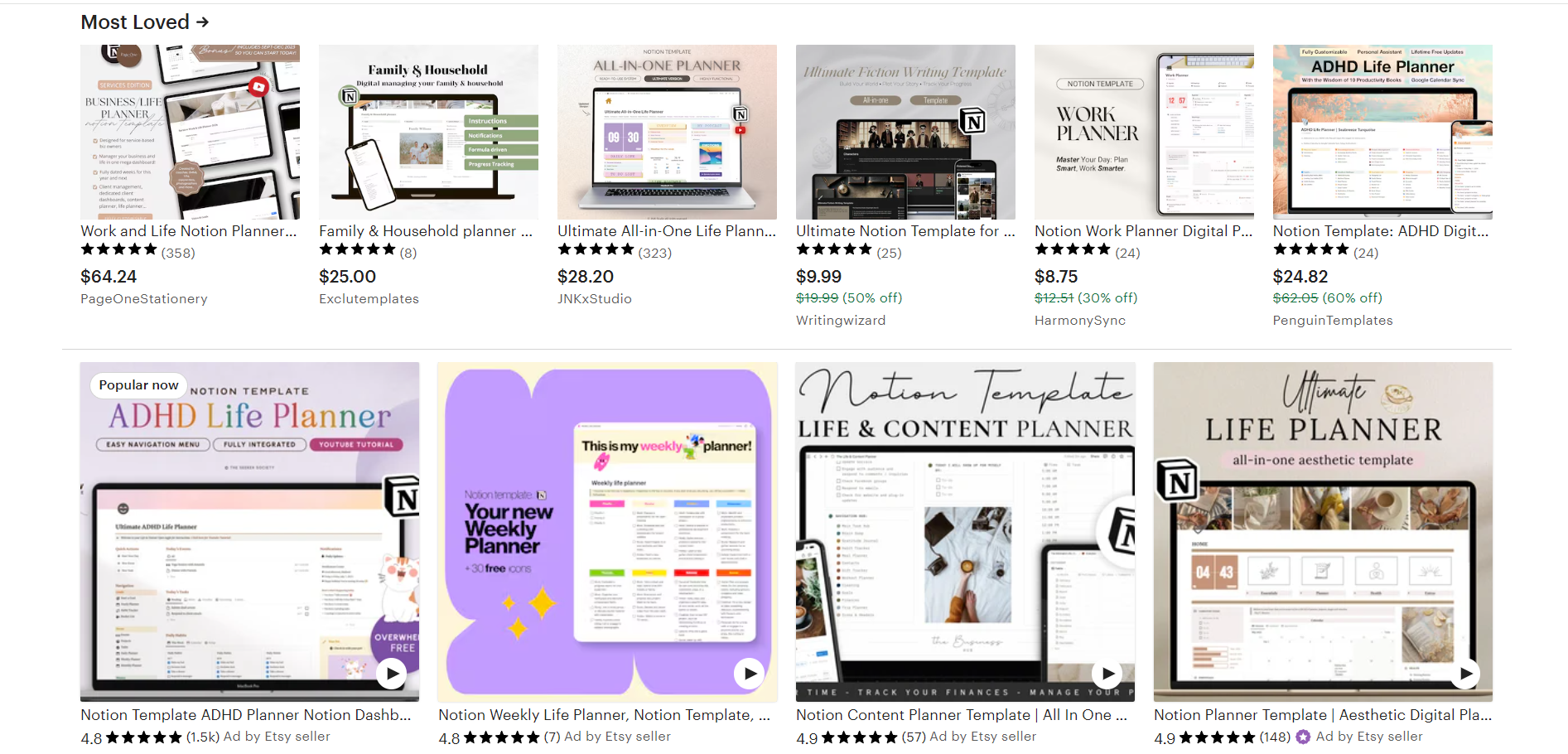
• Browse what is already selling — Go to Gumroad, Etsy, and the Notion Marketplace. Search "Notion template" and sort by best-selling. Study the top 20 results. What categories are they in? What features do they highlight? What price points are they at? This is your market research.
• Go where Notion users hang out — The r/Notion subreddit has over 500,000 members. Notion Facebook groups, Twitter threads, and Discord servers are full of people asking "does anyone have a template for X?" Every one of those questions is a product idea. Screenshot them. Build a list.
• Mine your own expertise — If you are a freelancer, build a freelancer management system. If you are a student, build the study system you wish you had. If you run a content business, build the editorial calendar that actually works. Your best template ideas come from problems you have already solved for yourself.
• Look for underserved niches — The productivity dashboard space is crowded. But "Notion template for real estate agents" or "Notion wedding planner" or "Notion template for Etsy sellers" might have almost zero competition. Niche down hard and own a specific corner of the market.
• Use keyword research tools — Tools like Ubersuggest or even Google Trends can show you what people are searching for related to Notion templates. If 5,000 people a month search for "Notion habit tracker template" and there are only a handful of paid options, that is a clear signal.
The golden rule: if you cannot find at least 3 people online asking for the thing you want to build, do not build it yet. Validate first, build second.
How to Build a Notion Template That People Will Pay For
Building a sellable Notion template is different from building one for yourself. When it is just for you, messy is fine. When someone is paying $29 for it, every detail matters. Here is the step-by-step process.
Start with the problem, not the features
Before you open Notion, write down the specific problem your template solves. "Helps freelancers track clients, projects, and invoices in one place" is a good problem statement. "Cool Notion dashboard" is not. The problem statement becomes your product description, your marketing angle, and the lens through which you make every design decision.
Design for first impressions
When someone duplicates your template, the first thing they see needs to look clean, organized, and professional. This means consistent spacing, clear headings, thoughtful use of icons and cover images, and an obvious starting point. First impressions determine whether someone requests a refund or becomes a repeat customer.
Design tips that make a real difference:
• Use a consistent color palette throughout — pick 2-3 accent colors and stick with them
• Add Notion icons to every page and database for visual clarity
• Include a cover image on the main page that looks professional
• Use toggle blocks to organize instructions without cluttering the workspace
• Create a "Start Here" or "Getting Started" page as the entry point
Use Notion's advanced features
Databases, relations, rollups, formulas, filters, and views are what separate a $9 template from a $49 template. Learn how to use linked databases across pages, build formula fields that calculate things automatically, and create filtered views that show exactly what the user needs. The more automation and intelligence you build in, the more valuable the template feels.
Make it customizable but not overwhelming
People buy templates because they do not want to start from scratch. But they also want to make it their own. Build your template with clear sections that can be easily modified, rearranged, or deleted without breaking anything. Include a customization guide that explains how to change colors, add new categories, or modify database properties.
Test it with real users before selling
Share your template with 3 to 5 people who fit your target audience. Watch how they interact with it. Where do they get confused? What questions do they ask? What features do they wish existed? This feedback is invaluable and will make your template significantly better before launch day.

Where to Sell Your Notion Templates
You have built a great template. Now where do you actually sell it? The platform you choose affects your revenue, your branding, and your ability to grow a real business. Here is a breakdown of every major option.
| Platform | Best For | Fees | Branding Control | Rating |
|---|---|---|---|---|
| Storelib | Full template store, all digital products | 0% transaction fees | Complete | ★★★★★ |
| Gumroad | Quick single template launches | 10% per sale | Limited | ★★★☆☆ |
| Etsy | Discovery and organic traffic | 6.5%+ per sale | Minimal | ★★★☆☆ |
| Notion Marketplace | Official Notion visibility | Revenue share | None | ★★★☆☆ |
| Lemonsqueezy | Tech-savvy creators | 5% + 50¢ | Moderate | ★★★★☆ |
| Your Own Website | Maximum control | Hosting costs only | Complete | ★★★★☆ |
Storelib is the best option if you are serious about building a template business, not just selling one template. Here is why:
• Zero transaction fees — you keep 100% of what you earn
• Complete branding control — your store looks like your brand, not someone else's marketplace
• Built for digital products — the checkout, delivery, and product pages are designed specifically for creators selling digital goods
• Analytics dashboard — see exactly where your traffic and sales are coming from
• No monthly fees to start — you only pay when you are making money
Gumroad works for a quick test. Upload your template, set a price, share the link. But 10 percent of every sale adds up fast. If you sell $5,000 worth of templates in a month, Gumroad takes $500. On Storelib, that $500 stays in your pocket.
Etsy is interesting because it has massive built-in traffic. People search for Notion templates on Etsy every day. But the fees stack up, you have minimal control over branding, and you are competing with thousands of other sellers on the same page. It works best as a discovery channel, not your primary store.
The smartest approach is usually a combination. Sell on Etsy for discovery. List on Gumroad or Notion Marketplace for visibility. But drive everyone to your own Storelib store as the primary destination. This way you get the best of all worlds.
How to Price Your Notion Templates
Pricing Notion templates feels tricky because the creation cost is zero. But remember, you are not pricing based on what it cost you to make. You are pricing based on the value it delivers to the buyer.
A freelancer CRM template that helps someone manage 20 clients and never miss a deadline? That is worth $49 easily. A student planner that helps someone get better grades and stay organized all semester? That is worth $19 to any stressed out college student. Price based on outcome, not effort.
Here is a general pricing framework:
• Simple single-purpose templates (habit tracker, reading list, simple planner): $5 to $15
• Multi-feature templates with databases and automations (CRM, project manager, content calendar): $19 to $49
• Comprehensive systems (Life OS, full business management suite, all-in-one workspace): $49 to $99
• Template bundles (3-5 related templates packaged together): $39 to $79
One strategy that works extremely well is offering a free lite version of your template and a paid pro version with advanced features. The free version acts as a lead magnet. People try it, love it, and upgrade to pro because they want the full experience. This funnel converts at a much higher rate than trying to sell cold.
Start in the middle of your range and test. If people buy instantly and never complain about price, you are probably too cheap. If nobody buys, either the price is too high or the product is not solving a real problem. Adjust based on real data, not gut feeling.
Creating Mockups That Make People Want to Buy
Your template could be incredible, but if your product images look like plain screenshots, nobody is buying. Product presentation is just as important as the product itself. This is especially true on visual platforms like Instagram and Etsy where your mockup image is the first thing anyone sees.
Here is what works for Notion template mockups:
• Use a tool like Figma, Canva, or Mockup World to create lifestyle mockups — show your template displayed on a MacBook screen on a clean desk
• Create feature highlight images — isolate one powerful feature per image and explain what it does with clean typography
• Build comparison images — show what someone's workflow looks like without your template versus with it
• Use consistent brand colors and fonts across all product images so your store has a cohesive, professional look
• Include a GIF or short video showing the template in action — motion catches attention and shows functionality better than static images ever could
The best-selling Notion template creators treat their product images like mini sales pages. Each image communicates a specific benefit. When someone scrolls through your product listing, they should understand exactly what they are getting and why it is worth the price without reading a single word of the description.
Also create a short video walkthrough. Screen record yourself using the template for 60 to 90 seconds. Show the main features, demonstrate how it works, and highlight the time-saving benefits. Upload this to your product page and share it on social media. Video sells better than images, and images sell better than text.
Marketing Your Notion Templates (Getting Your First Sales)
A great template with no marketing sells zero copies. Here are the channels that actually drive sales for Notion template creators, ranked by effectiveness.
Twitter/X and Notion communities
The Notion community on Twitter is massive and incredibly supportive. Share your creation process, post screenshots of your templates, engage with other Notion creators, and build in public. When you launch, you will have an audience that is already rooting for you.
The r/Notion subreddit has over 500,000 members. Share value first. Answer questions, help people with their setups, and establish yourself as someone who genuinely knows Notion. Then when you share your template, it does not feel like spam. It feels like a useful resource from someone the community trusts.
TikTok and Instagram Reels
Short videos showing aesthetic Notion setups get millions of views. A 15-second video of your template with a trending sound can drive more sales in a day than a month of other marketing. The key is making the template look visually satisfying on camera. Clean design, smooth scrolling, satisfying animations.
People actively search Pinterest for Notion template aesthetic and similar terms. Create pins showing your templates with keyword-rich descriptions. Pinterest is a long-term play but the traffic compounds over time and keeps flowing for months or years after you post.
Build an email list
Offer a free template in exchange for an email address. This is your most powerful long-term marketing asset. When you launch a new template, you email your list and generate sales immediately. No algorithm, no platform risk, just direct access to people who already want what you make.
SEO blog content
Write blog posts like Best Notion Templates for Students or How to Organize Your Freelance Business in Notion. Target keywords people are already searching for. Include links to your templates within the content. This strategy takes longer to pay off but creates a steady stream of organic traffic that converts at high rates because the reader is already interested in Notion.
Common Mistakes Notion Template Sellers Make
After watching hundreds of template creators launch, fail, and succeed, these are the most common mistakes that hold people back:
• Building templates nobody asked for — Validate demand before building. If you cannot find anyone searching for or asking about the template you want to create, do not build it yet. Research first.
• Underpricing because it only took a few hours — Time spent creating is irrelevant to the buyer. What matters is the value they get. A template that saves someone 5 hours a week is worth $49 regardless of whether it took you 2 hours or 20 hours to build.
• Using plain screenshots as product images — This kills conversion rates. Invest 30 minutes in creating proper mockups. Show the template looking beautiful in a real-world context. First impressions matter.
• No documentation or instructions — Your template makes perfect sense to you because you built it. The buyer has never seen it before. Include a clear Getting Started page, explain what each section does, and add toggle blocks with tips throughout.
• Selling on only one platform — Do not put all your eggs in one basket. List on multiple platforms for discovery, but always drive people back to your own Storelib store where you keep all the revenue and own the customer relationship.
• Giving up after one template — Your first template probably will not make you rich. But your third or fourth, launched to an audience you have been building, with better mockups, better marketing, and better product skills? That is where the money starts compounding.
Scaling Beyond Your First Template
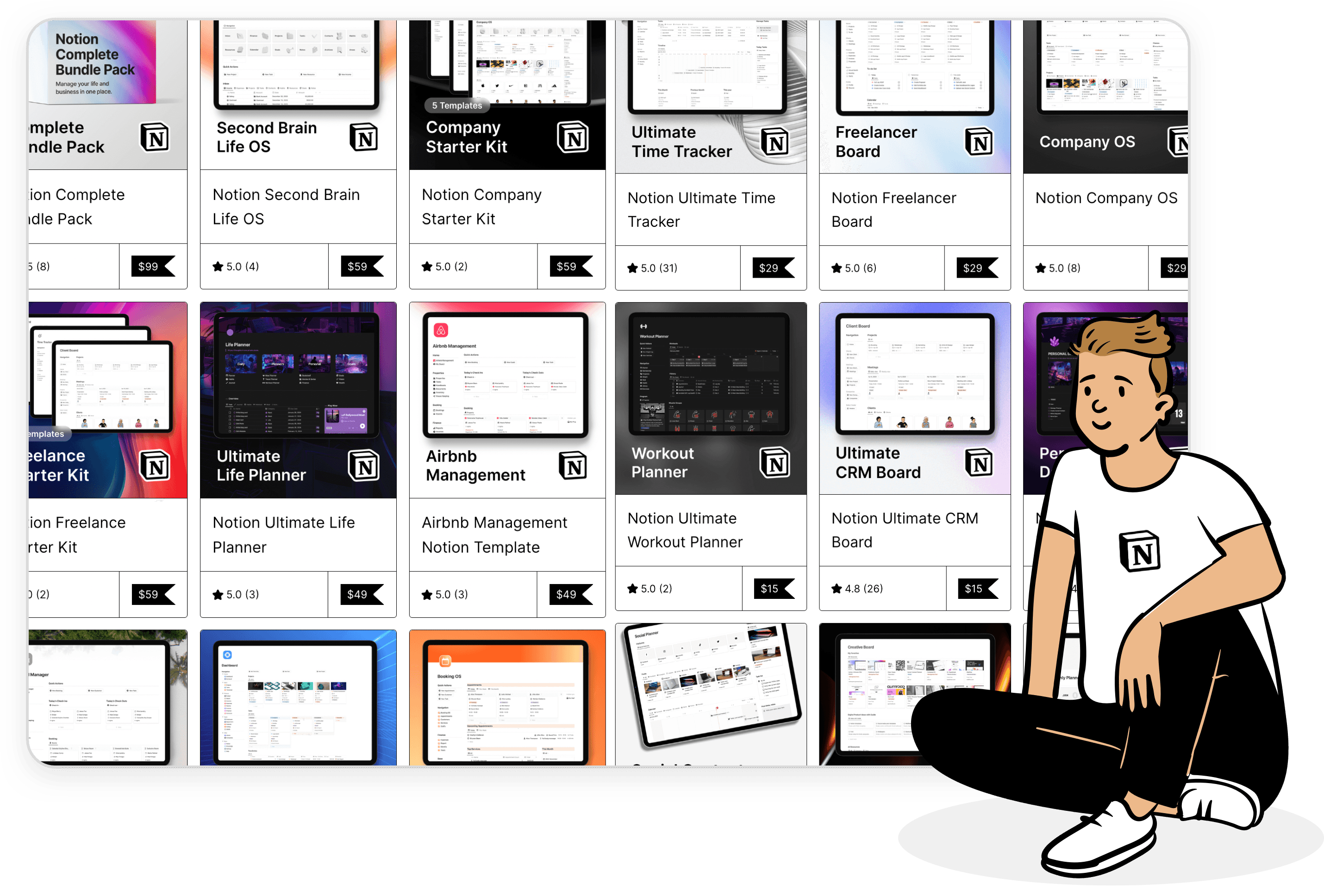
Once your first template is selling, the path to scaling is clear. Create complementary templates that appeal to the same audience. If your first product was a freelancer CRM, your next could be a project tracker, then an invoice manager, then a client onboarding system. Each new product sells to the same customer base, and you can offer bundle deals that increase average order value.
Build a brand around your templates. Pick a consistent visual style, a memorable store name, and a recognizable presence on social media. When someone sees your template, they should immediately know it is from you before they even read the title.
Consider creating a membership or subscription. For $9 to $15 per month, subscribers get access to all your templates plus new ones as you release them. This creates recurring revenue which is the holy grail of any digital product business.
Here are the scaling milestones to aim for:
• 1-3 templates: Focus on quality, learn what sells, build your first audience
• 4-8 templates: Create bundles, cross-sell between products, start building email list
• 9-15 templates: Launch a subscription tier, explore partnerships with other creators
• 15+ templates: You are running a real business — consider hiring help for support, marketing, or design
And eventually, expand beyond Notion. The skills you develop creating templates, understanding user needs, creating clean digital products, marketing to niche audiences, transfer directly to Canva templates, digital planners, online courses, and more. Your Notion template business is not just a revenue stream. It is a launchpad.
Your 4-Week Launch Plan
Here is a concrete timeline to go from idea to first sale:
Week 1: Research and validate
Browse existing templates, identify a gap, and validate demand by asking in Notion communities whether people would pay for your idea. Study the top 10 selling templates in your category. Note their pricing, features, and how they present the product.
Week 2: Build your template
Create the core structure, add databases and relations, design it to look clean and professional, write instructions, and test it by having someone else try to use it without your help. Fix everything that confuses them.
Week 3: Prepare for launch
Create mockup images in Canva or Figma. Write your product description. Set up your store on Storelib. Record a short video walkthrough. Set your price. Prepare social media content for launch week.
Week 4: Launch and promote
Share on Twitter, Reddit, and relevant communities. Post short-form video content on TikTok and Instagram. Email anyone who showed interest during your validation phase. Offer a 48-hour launch discount to create urgency. Collect feedback from your first buyers and iterate.
Four weeks from now, you could have a Notion template selling online and generating passive income. Not four months. Not four years. Four weeks. The timeline is that short if you actually commit to the work.
The Bottom Line
Notion templates are one of the best digital products you can sell right now. Zero creation cost, massive demand, high margins, and a market that rewards quality and consistency. The creators who are making real money from this are not geniuses or design prodigies. They are people who picked a niche, built something useful, presented it well, and told people about it.
The tools have never been more accessible. Notion is free. Storelib lets you sell with zero transaction fees. Canva gives you free mockup tools. Social media gives you free distribution. There are literally no financial barriers between you and your first template sale.
Pick one template idea. Build it this week. Put it on Storelib. Tell people about it. Improve it based on feedback. Then build the next one. That is the entire playbook. The people who win at this are not the ones who planned the longest. They are the ones who shipped first and kept going.
Start building. Today.

More in Getting Started
Start your online business!
Turn your digital creations into income. Launch your store in minutes, no credit card required.