
How to Sell Digital Products on Instagram: A Complete Strategy Guide
6 months ago · 15 min read
.png)
Instagram is one of the most underrated platforms for selling digital products. Most people think of it as a place for influencers and lifestyle photos, but underneath all the pretty grids and Stories, there are creators quietly building five and six figure businesses selling things like templates, presets, courses, ebooks, and digital planners.
The math is simple. Instagram has over 2 billion monthly active users. A huge portion of those users are already trained to buy things through the app. They tap links in bios, swipe up on Stories, and purchase from creators they follow every single day. If you have a digital product and you are not selling it on Instagram, you are leaving serious money on the table.
This guide walks you through everything. How to set up your profile for sales, what kind of content actually converts followers into buyers, how to use Stories, Reels, and DMs strategically, and how to build a system that turns Instagram into a consistent revenue channel for your digital product business.
Why Instagram Works So Well for Digital Products
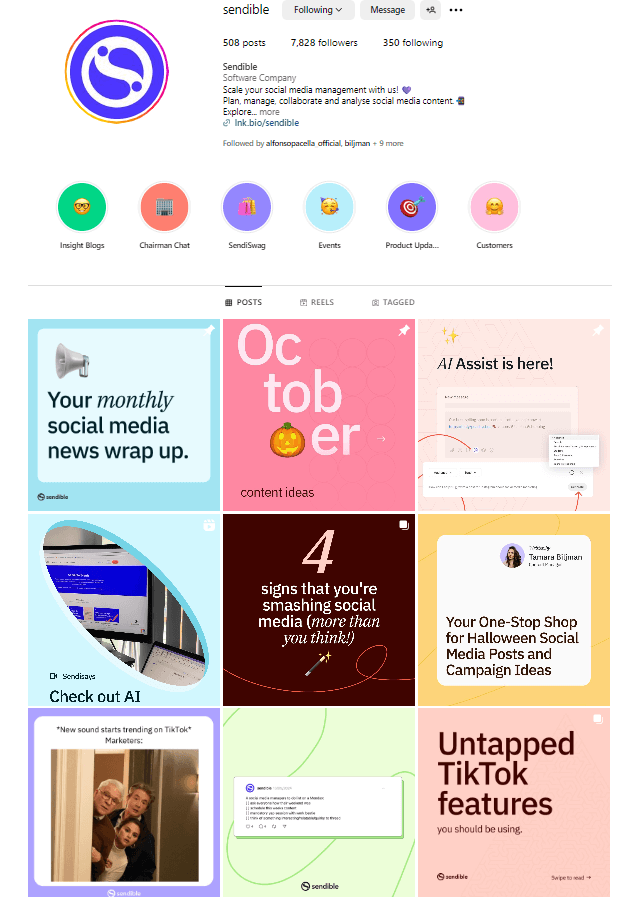
Instagram is a visual-first platform, which means it rewards people who can make their products look good. And digital products, when presented properly, look incredible on Instagram. A well-designed Canva template displayed in a carousel post. A Lightroom preset shown as a before-and-after Reel. A digital planner walkthrough in a Story. These are the kinds of content that stop people mid-scroll and make them think, I need that.
The other advantage is the relationship layer. Unlike a marketplace like Etsy where people find your product through search and have zero connection to you, Instagram lets you build a real audience. People follow you, see your content every day, and develop trust over time. By the time you drop a new product, they already know you, like your work, and are ready to buy. That trust shortcut is enormously valuable.
Instagram also has one of the highest engagement rates of any social platform. People do not just passively scroll. They comment, save posts, share Stories, reply to DMs. Every one of those interactions is a touchpoint that moves someone closer to buying from you. And with features like Instagram Shopping, product tags, and link stickers in Stories, the platform has built infrastructure specifically designed to help creators sell.
The algorithm also favors creators who post consistently and generate engagement. Which means the more you talk about your products and create content around them, the more Instagram pushes your content to new people. It is a flywheel. Good content leads to more reach, which leads to more followers, which leads to more sales, which gives you more content ideas. Once it starts spinning, it builds momentum fast.
Setting Up Your Instagram Profile to Sell
Before you post a single piece of content, your profile needs to be set up as a sales page. Think of your Instagram bio as the landing page for your business. When someone lands on your profile, you have about three seconds to communicate who you are, what you sell, and why they should care.
Switch to a Business or Creator account if you have not already. This gives you access to analytics, contact buttons, and the ability to run ads later if you choose. Your profile photo should be either a clean headshot or your brand logo. Your name field should include a keyword that people might search for, something like "Digital Product Creator" or "Canva Template Designer" or "Lightroom Preset Shop."
Your bio needs to do three things. First, clearly state what you offer. Not something vague like "creative entrepreneur" but something specific like "I create Notion templates that help freelancers stay organized." Second, include a piece of social proof or a result. Something like "Used by 5,000+ freelancers" or "Featured in Creative Boom." Third, include a clear call to action pointing to your link in bio.
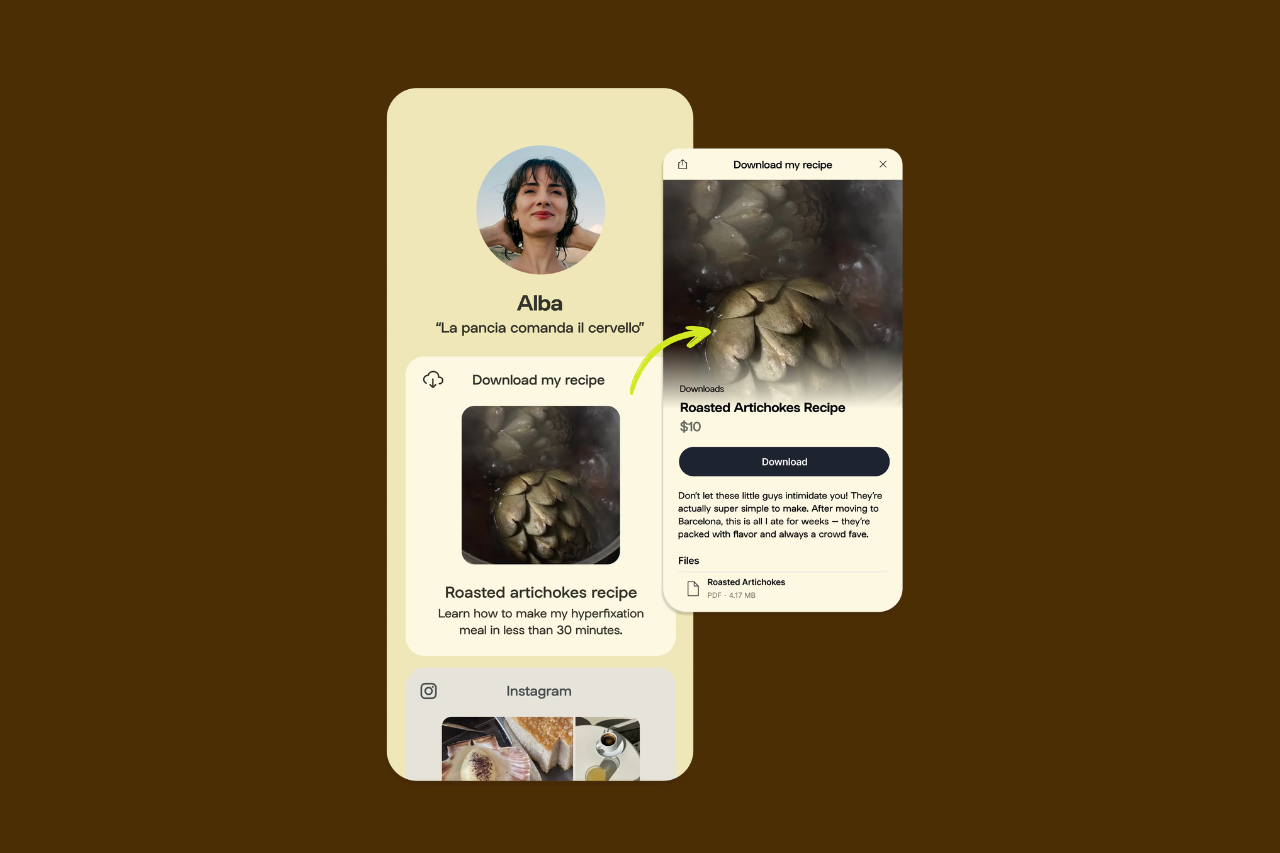
Your link in bio is where the actual selling happens. Use a tool like Linktree, Stan Store, or better yet, your own Storelib storefront. Having your own store means you control the experience, keep all the revenue, and build a brand that is not dependent on someone else's platform. Set up your store on Storelib, connect it to your Instagram bio, and you have a direct pipeline from follower to customer.
The Best Digital Products to Sell on Instagram
Not every digital product performs equally well on Instagram. The platform is visual, so products that look good in posts and videos tend to sell better. Here are the categories that consistently perform well.
| Product Type | Why It Works on Instagram | Typical Price Range | Content Style |
|---|---|---|---|
| Canva Templates | Highly visual, easy to showcase in carousels | $9 – $49 | Before/after, carousel demos |
| Lightroom Presets | Perfect for before/after Reels | $12 – $39 | Transformation Reels, grid demos |
| Digital Planners | Aesthetic appeal, GoodNotes demos | $15 – $45 | Walkthrough Stories, demos |
| Notion Templates | Growing community, productivity niche | $9 – $49 | Screen recordings, tutorials |
| Online Courses | High perceived value, personal brand sells | $49 – $499 | Teaching Reels, testimonials |
| Ebooks and Guides | Authority building, lead magnets | $9 – $29 | Excerpt carousels, quotes |
| Stock Photos/Graphics | Native to the visual platform | $19 – $79 packs |
The sweet spot is products where the content you create to market them is basically a demonstration of the product itself. Lightroom presets are the perfect example. Your before-and-after Reel IS your marketing. The viewer sees the transformation and immediately wants the same result. Canva templates work the same way. Show the template in action in a carousel post, and the post itself becomes an advertisement.

Content Strategy: What to Post and When
This is where most people get it wrong. They either post nothing but sales content, which turns people off, or they post nothing but value content and never actually sell anything. The key is a balance. A good rule of thumb is the 60-30-10 framework. 60 percent of your content should be value content that teaches, inspires, or entertains. 30 percent should be authority and trust-building content. And 10 percent should be direct selling.
Value content is things like tips, tutorials, behind-the-scenes of your creation process, free resources, and educational carousels. This is what grows your audience and gets people to follow you. When someone sees a genuinely helpful carousel about design tips, they follow you because they want more of that. And now they are in your world, seeing everything else you post including your product content.
Authority content is things like testimonials, customer results, your own story, press mentions, sales milestones, and content that shows you know what you are talking about. This is what builds trust. People do not buy from accounts they just found. They buy from accounts they trust. Sharing a screenshot of a customer message saying "your template saved me 10 hours this week" does more selling than any sales post ever could.
Direct selling content is your product launches, promotions, limited-time offers, and clear calls to action. This should be the smallest portion of your content but it needs to exist. You cannot be afraid to sell. The people following you want to buy from you. They just need to know what is available and how to get it. A well-timed product post after weeks of value content converts incredibly well because the trust is already there.
Mastering Instagram Reels for Digital Product Sales
Reels are the single most powerful tool on Instagram right now for reaching new people. The algorithm pushes Reels to users who do not follow you yet, which means every Reel you post is a chance to get discovered by potential customers. If you are not making Reels, you are invisible to a massive portion of Instagram's audience.
For digital products, the most effective Reel formats are transformations, tutorials, and relatable content. A transformation Reel shows the before and after of using your product. Apply a Lightroom preset, show a Canva template being customized, demonstrate how a Notion dashboard organizes someone's chaotic workflow. These are visually satisfying and they naturally showcase your product without feeling like an ad.
Tutorial Reels teach something quick and useful, then organically mention your product as a tool that helps. For example, "3 ways to organize your freelance clients" and at the end you mention your Notion CRM template. The value comes first, the product mention comes naturally, and the viewer does not feel sold to.
Relatable content is about connecting with your target audience's pain points. "POV: You spent 4 hours making a social media graphic from scratch" followed by showing how your template pack does it in 5 minutes. These Reels get shared because people tag their friends who relate to the struggle, which means free distribution of your product content.
Keep your Reels between 15 and 60 seconds. Hook the viewer in the first 2 seconds with either text on screen or an attention-grabbing visual. Use trending audio when it fits naturally. Post at least 3 to 4 Reels per week for consistent growth. And always include a call to action, whether it is "link in bio" or "comment TEMPLATE and I will send you the link."
Using Instagram Stories to Drive Daily Sales
Stories are different from feed posts and Reels. They are more intimate, more casual, and they reach your existing followers directly. Think of Stories as your daily touchpoint with your warmest audience. These are the people most likely to buy from you, and Stories keep you top of mind.
Use the link sticker to drive traffic directly to your product pages. Every time you mention a product in your Stories, add the link sticker so people can tap through immediately. The fewer steps between someone seeing your product and being able to buy it, the more sales you will make.
Some Story formats that work well for selling digital products. Product walkthroughs where you screen-record yourself using the product and talk through the features. Customer testimonial screenshots where you reshare DMs or reviews from happy buyers. Quick tips that relate to the problem your product solves, followed by a mention of the product. Flash sales or limited-time discount announcements that create urgency.
Polls and question stickers are underrated sales tools. Ask your audience "What is your biggest struggle with [topic]?" and then create a Story sequence that addresses their answer and naturally leads to your product. Or use a poll like "Would you use a template that does X?" to validate demand before launching something new. This kind of engagement also signals to the algorithm that your content is worth showing to more people.
Post Stories consistently. Aim for 3 to 7 Stories per day. Mix up the formats. Do not just post static images. Use video, use polls, use text-based Stories, use reshares of your feed posts. The more variety, the more engaging your Story feed becomes, and the more likely people are to watch through to the end where your call to action lives.
The DM Sales Strategy Most People Overlook
Direct messages are where some of the highest conversion rates happen on Instagram, and most creators completely ignore them as a sales channel. When someone DMs you a question about your product, that is the warmest lead you will ever get. They are literally reaching out and asking you to sell to them.
The comment-to-DM strategy is incredibly effective. In your Reels and posts, include a call to action like "Comment PRESET and I will DM you the link" or "Type TEMPLATE to get the details." When someone comments, you send them a personalized DM with the link. This works because it feels personal, it moves the conversation to a private space where they are more likely to buy, and the act of commenting increases engagement on your post which boosts it in the algorithm.
You can automate this with tools like ManyChat, which automatically sends a DM to anyone who comments a specific keyword. This lets you scale the DM strategy without manually responding to hundreds of comments. Set it up once, and every Reel or post with a keyword CTA becomes an automated sales funnel.
Also respond to every DM you receive, even the ones that are not directly about buying. Building genuine relationships in DMs creates loyal customers who buy everything you release. Some of the most successful digital product creators say that 30 to 40 percent of their sales come from DM conversations, either directly or because the relationship built in DMs led to a purchase later.
Instagram Carousel Posts That Convert
Carousel posts consistently get the highest save rates on Instagram, and saves are one of the strongest signals to the algorithm. When someone saves your post, Instagram interprets that as high-quality content and shows it to more people. For digital product sellers, carousels are one of the most valuable post formats you can create.
The most effective carousel structure for selling digital products follows this pattern. Slide 1 is a bold hook that addresses a pain point or promises a specific result. Something like "5 Notion Setups That Save Freelancers 10 Hours a Week." Slides 2 through 8 deliver the actual value, each slide covering one tip or setup with a clean visual. The final slide is a call to action directing people to your product with something like "Want all 5 setups ready to use? Grab the template pack. Link in bio."
Another carousel format that sells well is the product showcase. Show each feature or page of your digital product on a separate slide, with clear explanations of what each feature does and who it helps. This format works because it lets people see exactly what they are buying before they click through. It removes uncertainty, and uncertainty is the number one reason people do not buy.
Design your carousels to be visually consistent. Use the same fonts, colors, and layout style across all slides. This not only looks professional but also makes your content instantly recognizable in the feed. When someone sees your carousel style, they should immediately know it is from you before they even read the text.
Building Your Sales Funnel on Instagram
Instagram is not just a place to post content. When used strategically, it becomes a complete sales funnel. The top of your funnel is Reels, which reach new people and bring them to your profile. The middle of your funnel is your feed content, Stories, and bio, which build trust and educate visitors about your products. The bottom of your funnel is your link in bio, your DMs, and your product pages, where the actual purchase happens.
Understanding this funnel means you can create content intentionally for each stage. Your Reels should be optimized for reach. They should use trending formats, have strong hooks, and appeal to a broad audience within your niche. Your feed posts and carousels should be optimized for depth. They should provide real value, build authority, and naturally reference your products. Your Stories and DMs should be optimized for conversion. They should include direct links, personal recommendations, and urgency-based offers.
The link in bio is the critical bridge between Instagram and your store. This is where you send everyone who wants to buy. Make sure your Storelib storefront is clean, mobile-optimized, and loads fast. Remember that 95 percent of Instagram users are on mobile, so your product pages need to look perfect on a phone screen. Your store should load in under 2 seconds, your product images should be high quality, and the checkout process should be as frictionless as possible.
Hashtag and SEO Strategy for Instagram in 2026
Instagram's search functionality has evolved significantly. It is no longer just about hashtags. Instagram now uses keyword search across captions, profiles, and even audio. This means your captions should include relevant keywords naturally. If you sell Lightroom presets, your caption should mention terms like "Lightroom presets," "photo editing," "warm tone preset," and similar phrases that people actually search for.
For hashtags, the strategy in 2026 is to use a mix of three tiers. Use 3 to 5 broad hashtags with millions of posts for discoverability. Use 5 to 10 medium hashtags with 100K to 1M posts for targeted reach. And use 3 to 5 niche hashtags with under 100K posts where your content can actually rank and stay visible. Total, aim for 15 to 20 hashtags per post, placed either in the caption or the first comment.
Alt text on your images also matters for Instagram SEO. When you upload a post, you can add alt text in the advanced settings. Use this to describe your image with relevant keywords. This helps Instagram understand what your content is about and show it to the right people in search results and the Explore page.
Pricing and Promoting Your Products on Instagram
When it comes to pricing, the same rules apply as any other platform. Price based on the value your product delivers, not on how long it took you to make. But Instagram adds an interesting dynamic because your audience sees you and your expertise every day. This perceived authority lets you charge more than you might on a faceless marketplace like Etsy.
Launch strategy matters on Instagram. Do not just casually drop a product link and hope people buy it. Build anticipation. Tease the product in Stories for a week before launch. Share behind-the-scenes of the creation process. Run a countdown sticker. Offer an early-bird discount for the first 48 hours. This creates momentum and drives a burst of sales on launch day, which then signals to the algorithm that your content is engaging, which leads to more organic reach.
Collaborations and shoutouts from other creators in your niche are one of the fastest ways to grow and sell on Instagram. Find creators with similar audience sizes and do a value swap. You promote their product, they promote yours. Or find micro-influencers who genuinely use your product type and offer them a free copy in exchange for an honest review. These partnerships expose your product to warm, relevant audiences that are already primed to buy.
Common Mistakes That Kill Instagram Sales
The biggest mistake is being afraid to sell. You can post valuable content all day long, but if you never actually tell people about your product and give them a way to buy it, you will not make sales. Your followers are not mind readers. They need to know what you sell and they need a link to buy it. Mention your products regularly. It is not annoying. It is helpful.
Other common mistakes include inconsistent posting which kills your algorithmic reach, using poor quality visuals which undermines trust in your product quality, ignoring DMs which means you are turning away your warmest leads, not having a clear bio which confuses visitors about what you actually offer, and linking to a cluttered or slow checkout page which causes people to abandon the purchase.
Another mistake is trying to sell to everyone. The more specific your niche, the easier it is to create targeted content, build a loyal following, and convert followers into customers. "Digital products for everyone" is not a strategy. "Notion templates for freelance designers" is. Pick a lane, own it, and go deep.
Your Instagram Selling Action Plan
Here is exactly what to do if you are starting from scratch or want to restart your Instagram strategy for selling digital products.
In the first week, optimize your profile. Switch to a business account, write a keyword-rich bio, set up your Storelib store, and connect it to your link in bio. Create or update your product listings with high-quality images and clear descriptions. Plan out 2 weeks of content using the 60-30-10 framework.
In weeks two and three, start posting consistently. Aim for 4 to 5 feed posts per week including at least 2 Reels and 1 carousel. Post 3 to 7 Stories per day. Engage with accounts in your niche by commenting on their posts and replying to Stories. Start using the comment-to-DM strategy on at least one post per week.
In week four, analyze what is working. Check your Instagram insights to see which posts got the most saves, shares, and link clicks. Double down on the content formats and topics that performed best. Launch or relaunch a product with a proper campaign including teasers, a countdown, and a launch day push across Stories, Reels, and your feed.
From month two onward, it is about consistency and optimization. Keep posting, keep engaging, keep refining your content based on what the data tells you. Test new Reel formats, try collaborations, experiment with Instagram Ads if you have budget, and continue building your email list through Instagram so you own your audience outside the platform.
The Bottom Line
Instagram is not just a social media platform. For digital product creators, it is a complete business engine. It gives you reach through Reels, trust through daily content, and sales through DMs and your link in bio. The creators who are making real money on Instagram are not doing anything magical. They are showing up consistently, creating valuable content, and making it easy for people to buy.
The tools are all free. Instagram is free. Content creation tools like Canva have free plans. And Storelib lets you set up a store and sell with zero transaction fees. There are literally no financial barriers to getting started. The only thing standing between you and your first Instagram sale is actually doing the work.
Set up your profile today. Create your first three pieces of content this week. Post them. Talk about your product in your Stories. Reply to every DM. Do that consistently for 30 days and you will have a selling system that keeps working for you every single day. Start now.

More in Strategy
Start your online business!
Turn your digital creations into income. Launch your store in minutes, no credit card required.