
How to Sell Digital Planners Online: From Design to Passive Income
6 months ago · 18 min read
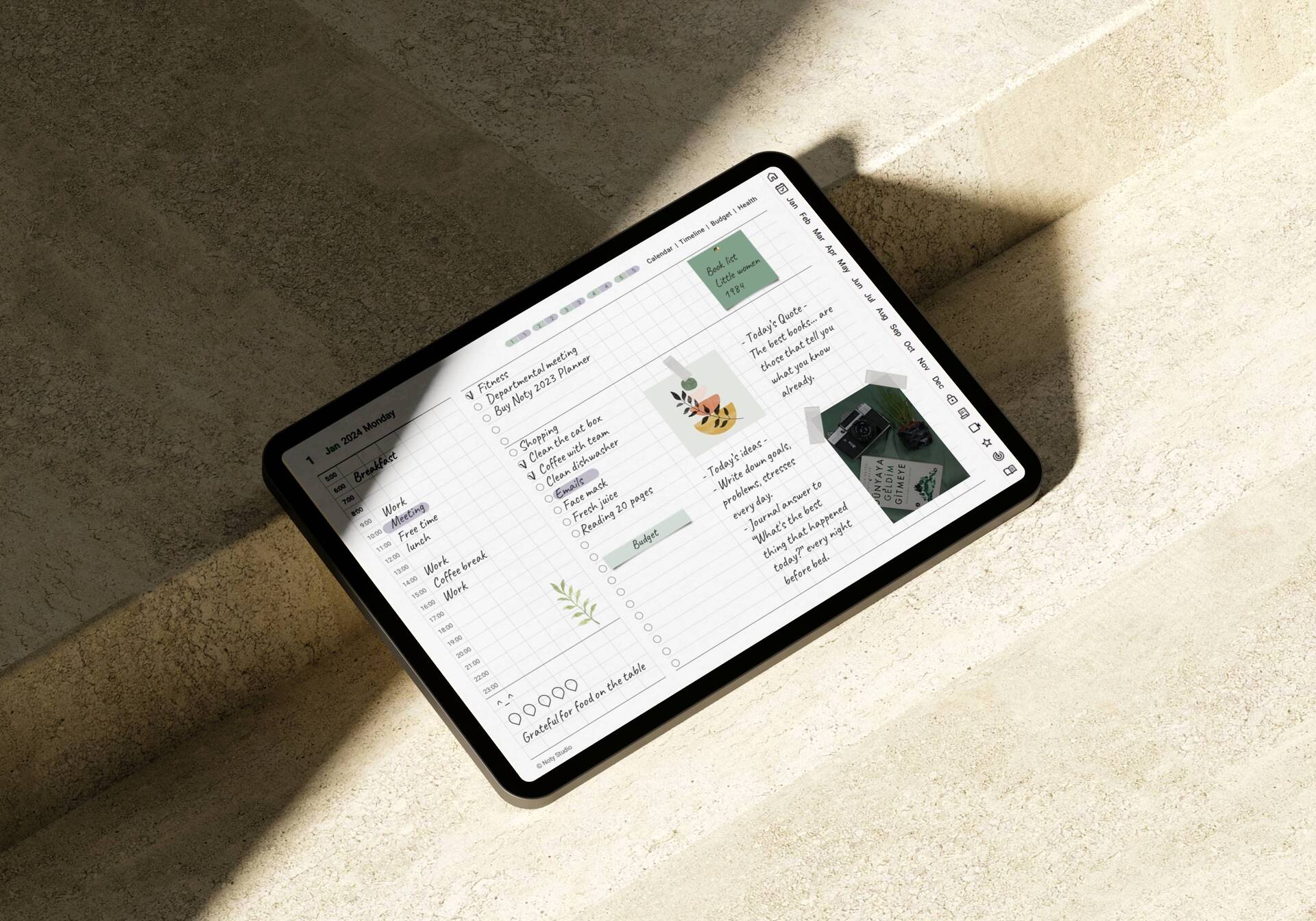
Digital planners have become one of the fastest growing categories in the digital product world. As tablets like the iPad have become mainstream and apps like GoodNotes, Notability, and Noteshelf have gained millions of users, the demand for beautifully designed digital planners has skyrocketed. People want the feel and organization of a paper planner with the flexibility and convenience of a digital device.
If you have design skills and an eye for organization, selling digital planners can be an incredibly lucrative business. Some creators earn $5,000 to $20,000 per month selling planners on platforms like Etsy and through their own stores. The margins are nearly 100% since there is no physical product to manufacture or ship, and a well designed planner can sell for years with minimal updates.
This guide covers everything you need to know about creating, designing, and selling digital planners online, from choosing your niche to marketing your products and maximizing your revenue.
What Exactly Is a Digital Planner
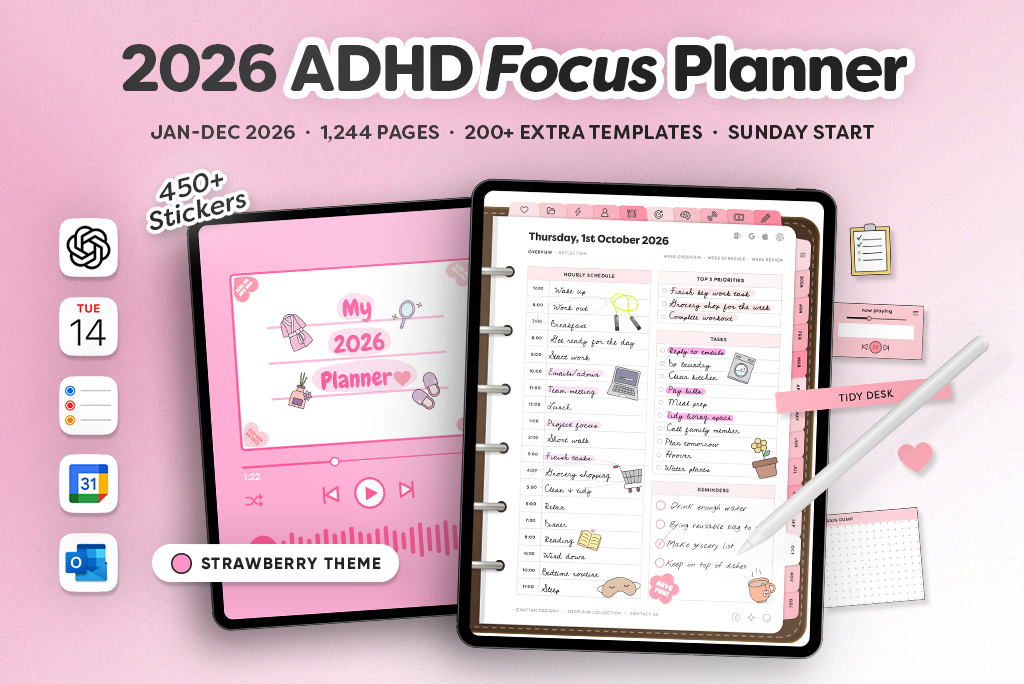
A digital planner is a PDF file designed to be used on a tablet with a stylus, replicating the experience of writing in a physical planner. What makes digital planners special is that they include interactive elements like hyperlinked tabs, clickable navigation, and fillable fields that let users jump between sections instantly.
Think of it like a paper planner that you can never run out of pages in. Users open the PDF in a note taking app, write on it with their stylus, and navigate between monthly views, weekly layouts, daily pages, goal trackers, and any other sections the planner includes. The pages are reusable, the planner never wears out, and users can carry years of planning in a single device.
Digital planners range from simple weekly layouts to comprehensive life management systems with dozens of linked sections. The most popular ones include yearly, monthly, weekly, and daily views, along with specialized sections for goals, habits, budgets, meals, fitness, and more.
Why Digital Planners Sell So Well
Several factors have converged to make digital planners one of the hottest digital product categories in 2026.
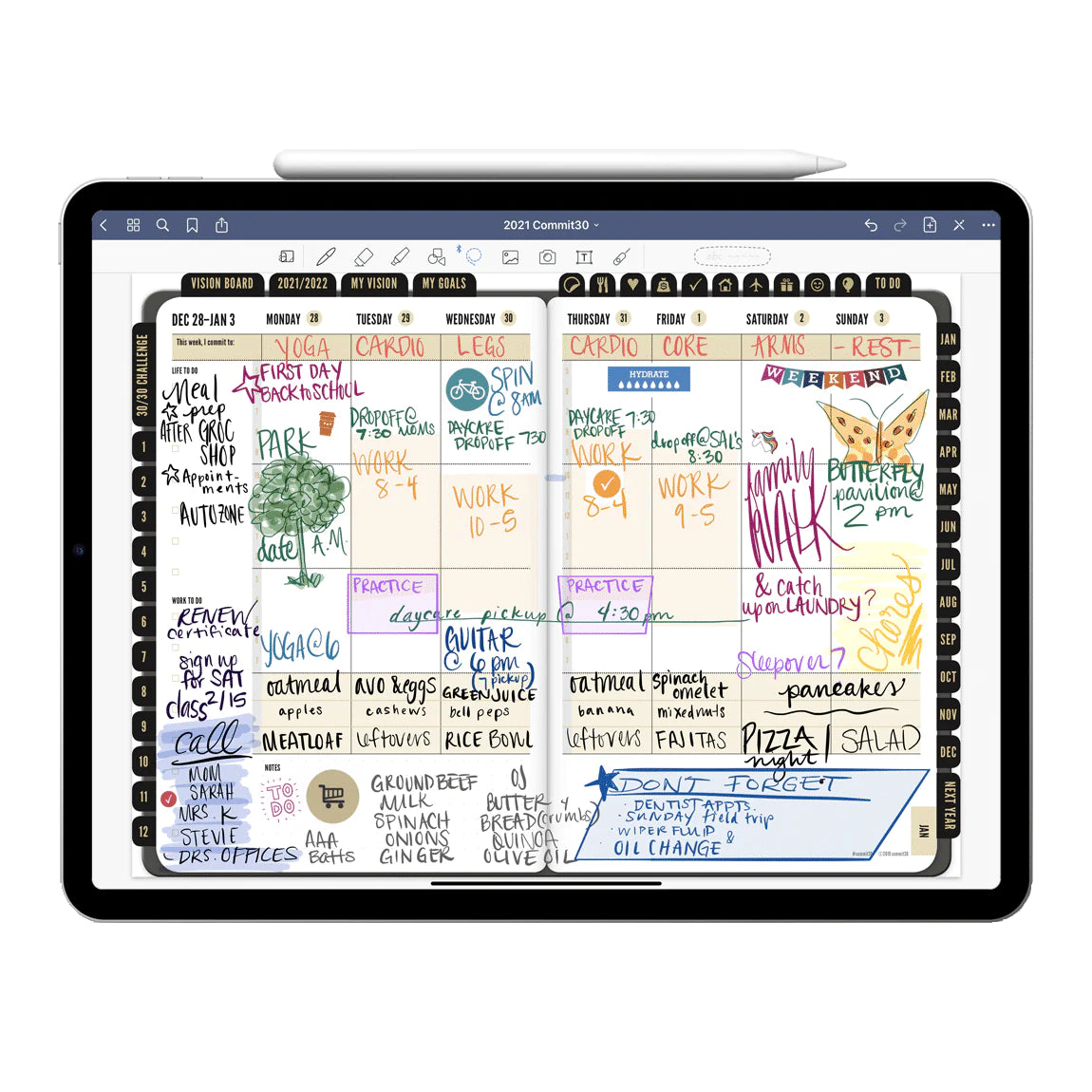
The iPad and tablet market has grown enormously. Apple alone has sold hundreds of millions of iPads, and a huge portion of those users use their tablets for note taking and planning. Samsung Galaxy Tabs, Microsoft Surface devices, and Android tablets add millions more potential customers. The Apple Pencil and other stylus tools have made writing on tablets feel natural, removing the biggest barrier to digital planning adoption.
Sustainability concerns are also driving demand. More people want to reduce their paper consumption, and a digital planner that lasts forever is an appealing alternative to buying a new paper planner every year. The environmental angle resonates strongly with younger buyers.
The flexibility of digital planners is another major selling point. Users can customize colors, add stickers, insert photos, and modify layouts in ways that are impossible with paper planners. Digital planners also cannot be damaged, lost, or left at home since they live on the device that is always with the user.
From a business perspective, the economics are outstanding. You create the planner once and sell it infinitely. There is no inventory, no shipping, no manufacturing. Your only ongoing cost is the platform fee on each sale. Everything else is profit.
Types of Digital Planners That Sell Best
Undated Daily, Weekly, and Monthly Planners

Undated planners are the most versatile and best selling category. Because they are not tied to a specific year, they can be sold year round and never become obsolete. Buyers can start using them at any time without wasting pages. A well designed undated planner with hyperlinked navigation between daily, weekly, and monthly views is the foundation of most successful planner businesses.
Dated Annual Planners
Key Features Buyers Look For in Digital Planners:
• Hyperlinked tabs — lets users jump between months, weeks, and daily views instantly
• Pre-built templates — habit trackers, meal planners, budget pages, and goal setting sheets
• Customizable covers — multiple color schemes and aesthetic styles to choose from
• GoodNotes and Notability compatible — these two apps dominate the iPad planner market
• Undated format option — buyers love planners they can start using any time of year
Dated planners for a specific year are popular around New Year and back to school seasons. They sell at a premium because of the perceived timeliness and the convenience of having dates already filled in. However, they require annual updates, which means more work but also a natural reason for existing customers to purchase again each year.
Student Planners
Student planners with class schedules, assignment trackers, exam countdowns, grade calculators, and study planners are extremely popular. The student market is price sensitive, so these typically sell for $5 to $15, but the volume potential is massive because students actively share product recommendations with classmates.
Business and Productivity Planners
Planners designed for entrepreneurs, freelancers, and professionals with sections for project management, goal setting, client tracking, financial planning, and meeting notes command premium pricing. These typically sell for $15 to $35 because the buyers are professionals willing to invest in their productivity.
Wellness and Self Care Planners
Planners focused on mental health, fitness, meal planning, gratitude journaling, and overall wellness are growing rapidly. The wellness market is enormous, and a planner that helps someone track their habits, moods, workouts, and meals in one place has strong appeal.
Niche Specific Planners
Some of the most profitable planners target specific niches. Wedding planners, travel planners, homeschool planners, budget planners, reading logs, and recipe planners all have dedicated audiences willing to pay for a product tailored to their specific needs. The more specific the planner, the easier it is to market because you can speak directly to the exact person who needs it.
How to Design a Digital Planner
Creating a professional digital planner requires design software and an understanding of how interactive PDFs work. Here is the process from start to finish.
Choose Your Design Tool
The most popular tools for creating digital planners are Keynote (free on Mac), PowerPoint, Canva, Adobe InDesign, and Affinity Publisher. For beginners, Keynote and Canva are the most accessible. Keynote is particularly popular because it makes creating hyperlinked PDFs relatively straightforward. For more advanced designers, InDesign offers the most control over typography, layout, and interactive elements.
Plan Your Planner Structure
Before designing anything, map out the structure of your planner. Decide which sections it will include, how many pages each section will have, and how users will navigate between them. A typical comprehensive planner might include: a cover page, yearly overview, 12 monthly views, weekly layouts, daily pages, goal setting pages, habit trackers, notes sections, and any specialized sections relevant to your niche.
Navigation is critical in digital planners. Users need to be able to jump between sections instantly. This is accomplished through hyperlinked tabs that appear on every page. Plan your tab system before you start designing so the navigation is consistent and intuitive throughout the entire planner.
Design the Layout
Design each page type with clean, functional layouts. Leave enough writing space for stylus input. Use a consistent color scheme and typography throughout. Remember that your planner will be used on a tablet screen, so test your designs on an actual iPad or tablet to make sure everything is readable and the touch targets for hyperlinks are large enough.
Pay attention to aesthetics. The look and feel of your planner is a major selling point. Many buyers choose digital planners based on visual appeal as much as functionality. A beautiful planner with a cohesive design language will outsell a functional but ugly one every time.
Add Hyperlinks and Navigation
This is what transforms a static PDF into an interactive digital planner. Add hyperlinks to tab elements so users can click to jump between months, weeks, and sections. In Keynote, you do this by selecting an element, choosing "Add Link," and linking to another slide. In InDesign, you use the Interactive features to create hyperlinks between pages.
Test every single hyperlink thoroughly. A planner with broken links will frustrate users and lead to negative reviews and refund requests. Go through the entire planner page by page, clicking every link to make sure it goes to the right destination.
Export as PDF
Export your planner as a PDF, making sure to preserve hyperlinks. In Keynote, export as PDF. In InDesign, export as Interactive PDF. Test the exported PDF in GoodNotes, Notability, or another popular note taking app to confirm that all links work correctly and the pages render properly on a tablet screen.
Creating Digital Sticker Packs as Add Ons
Digital stickers are a natural complement to digital planners and can significantly increase your revenue. Many planner users love customizing their planners with stickers, just like they would with a paper planner.
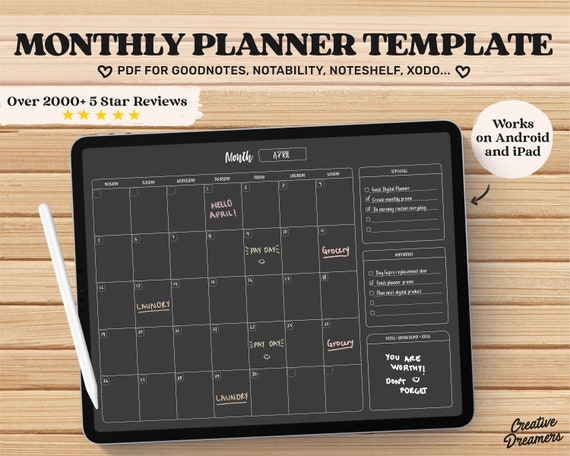
Digital sticker packs are PNG images with transparent backgrounds that users can import into their note taking app and place on their planner pages. Popular sticker categories include functional stickers (to do checkboxes, arrows, labels), decorative stickers (flowers, patterns, borders), seasonal stickers, and motivational quotes.
Sticker packs typically sell for $3 to $8 each, or you can bundle them with your planner as a value add. Offering a "Planner plus Sticker Bundle" at a slight premium is an effective way to increase your average order value.
Digital Planner Pricing Breakdown:
• Basic single-page planners — $3 to $7 range, good for entry level but thin margins
• Full year dated planners — $10 to $20, the sweet spot for most sellers
• Premium bundles with extras — $20 to $45, include stickers, widgets, and multiple covers
• Custom branded planners — $50+, white label solutions for coaches and businesses
Pricing Your Digital Planners
Digital planner pricing varies based on complexity, design quality, and target market.
Simple, single purpose planners like a basic weekly planner or a habit tracker typically sell for $5 to $12. These are impulse purchases that buyers do not overthink.
Comprehensive planners with multiple linked sections, dated layouts, and premium designs sell for $15 to $29. This is the sweet spot for most planner businesses, balancing accessibility with profitability.
Premium planners with extensive customization options, bonus sticker packs, and specialized sections can sell for $29 to $49 or more. These work best when targeting professional or niche audiences who value comprehensiveness.
Bundle pricing is very effective. Offer your planner with a sticker pack and a bonus mini planner for $35 instead of selling them individually for $45. Bundles increase your average order value and give buyers the feeling of getting a deal.
Where to Sell Digital Planners
Storelib
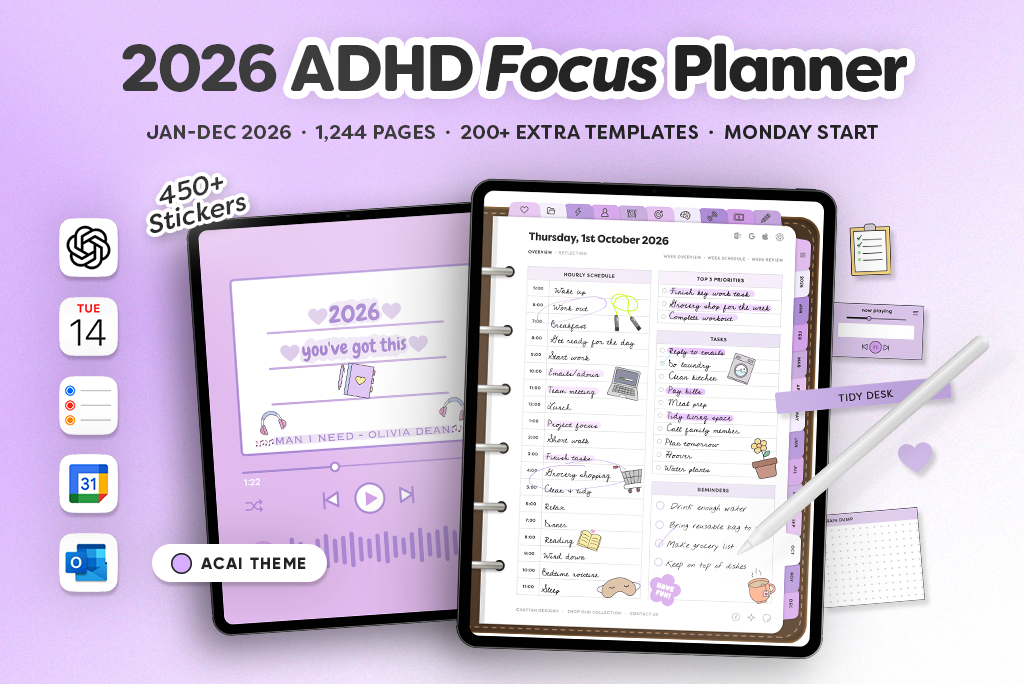
Storelib is an excellent platform for selling digital planners. You get a professional storefront where you can showcase your planners with beautiful preview images, detailed descriptions, and instant digital delivery. When a customer purchases your planner, they get their PDF download link immediately.
Storelib's OnePage feature is perfect for planner sellers who market through Instagram, TikTok, and Pinterest. Your link in bio page becomes a showcase for all your planners and sticker packs. The platform also lists your products on its marketplace, giving you organic discovery on top of your own marketing efforts.
Marketing Your Digital Planner Step by Step:
1. Create a Pinterest business account — pin mockup images of your planner pages weekly
2. Film a quick iPad walkthrough — show the planner in action on TikTok or Reels
3. Join planner communities on Reddit and Facebook — contribute value before ever linking your shop
4. Offer a free sample page — let people try before they buy to build trust
5. Run a small Etsy ad — start at $1/day on your best seller only after organic traction
The free plan charges 6% plus $0.25 per sale with no monthly fee. The Growth plan at $29 per month drops that to 3% plus $0.25 and adds email marketing tools, custom domains, and a verified badge. These fees are significantly lower than Etsy, which makes a real difference when you are selling high volumes of planners.
Etsy
Etsy is the most popular marketplace for digital planners due to its massive audience of buyers searching specifically for planners. The fees are 12% to 15% per sale, and the Offsite Ads fee adds another 12% to 15% on attributed sales for shops exceeding $10,000 in annual sales. Despite the fees, many planner sellers start on Etsy for the built in traffic.
Shopify
Shopify requires a monthly subscription starting at $39 per month plus transaction fees. It gives you complete control over your store design but requires more setup and does not provide any built in traffic. Shopify makes sense for established planner brands with strong existing audiences.
Marketing Your Digital Planners
The digital planner audience is highly active on visual social media platforms. Here are the most effective marketing channels.
Instagram is essential for planner sellers. Post flat lay images of your planner in use, create Reels showing the planning process, and use Stories to share behind the scenes design content. The planning and journaling community on Instagram is large and engaged.
TikTok has become a major driver of planner sales. Videos showing iPad planning routines, planner setup walkthroughs, and "plan with me" content consistently perform well. The hashtag #digitalplanner has billions of views on TikTok.
Pinterest is arguably the most important platform for planner sellers. People actively search Pinterest for planner inspiration, organization ideas, and digital planner recommendations. Create pins for every planner you sell and link them directly to your product pages. Pinterest traffic tends to convert at higher rates than other social platforms because users are in a buying mindset.
YouTube is valuable for longer form content. Create "plan with me" videos, setup tutorials, and reviews of your own planners. YouTube videos have incredible longevity and can drive sales for years after publishing.
Email marketing lets you announce new planners, send exclusive discounts, and nurture relationships with past buyers. Offer a free mini planner or sticker pack as a signup incentive to grow your list. With Storelib's built in email tools, you can manage campaigns without a separate service.
Final Thoughts
Selling digital planners is one of the most accessible and profitable digital product businesses you can start in 2026. The demand is strong, the tools for creation are readily available, and the marketing channels are built for visual products like planners. Whether you create simple weekly layouts or comprehensive life management systems, there is an audience ready to buy.
Start with one great planner that solves a specific problem for a specific audience. Design it beautifully, test it thoroughly, and market it consistently. Then expand your catalog with complementary planners, sticker packs, and bundles that keep your customers coming back.
Get started on Storelib for free and launch your digital planner business today. With instant delivery, professional product pages, marketplace exposure, and the lowest fees available, it is the perfect home for your planner business.

More in Getting Started
Start your online business!
Turn your digital creations into income. Launch your store in minutes, no credit card required.